
“Is BG3 Mod Manager safe?” is one of the most frequently typed questions about the tool, and it deserves a precise answer rather than a marketing one. The short version: BG3 Mod Manager is an open-source, MIT-licensed Windows desktop application maintained on GitHub at LaughingLeader/BG3ModManager, with the full source code, build scripts, and signed release archives publicly inspectable. The longer version, which this article covers, walks through what “safe” actually means for a portable mod manager: what files it touches on disk, why antivirus engines occasionally produce false-positive flags, how users can verify a downloaded copy themselves, and which risks belong to mods or to Larian’s anti-cheat policies rather than to the manager itself.
This audit treats the question as a verification exercise. Every claim in the sections below can be reproduced by any user with PowerShell, a browser pointed at GitHub, and an upload form on VirusTotal. No trust is required because the source is in the open and the binary footprint is small enough to inventory by hand. The following sections cover MIT licensing implications, the exact paths the application reads and writes, antivirus false-positive mechanics, hands-on verification steps, the risks that genuinely exist (none of which are introduced by the manager itself), and a comparison to common concerns raised about other mod managers in the wider gaming community.
What Open Source Means for BG3 Mod Manager
BG3 Mod Manager is distributed under the MIT license, one of the most permissive open-source licenses in active use. The license text in the repository’s LICENSE file grants any party the right to use, copy, modify, merge, publish, and distribute the software, provided the original copyright notice is preserved. For end users this has two practical consequences: every line of code that ships in the executable is publicly visible at github.com/LaughingLeader/BG3ModManager, and any independent developer can fork, audit, or rebuild the manager from source.
The repository has accumulated more than 1,700 stars, over 250 forks, and several hundred closed issues at the time of writing. Star counts are a soft signal rather than proof of safety, but they correlate with the size of the audience that has reviewed the code and the diff history of every release. Pull requests are visible, contributor identities are public, and release archives are uploaded to GitHub’s release pipeline rather than to a third-party file host. The release page records SHA-256 hashes for each archive, which lets users verify that a downloaded zip matches the file the maintainer signed off on.
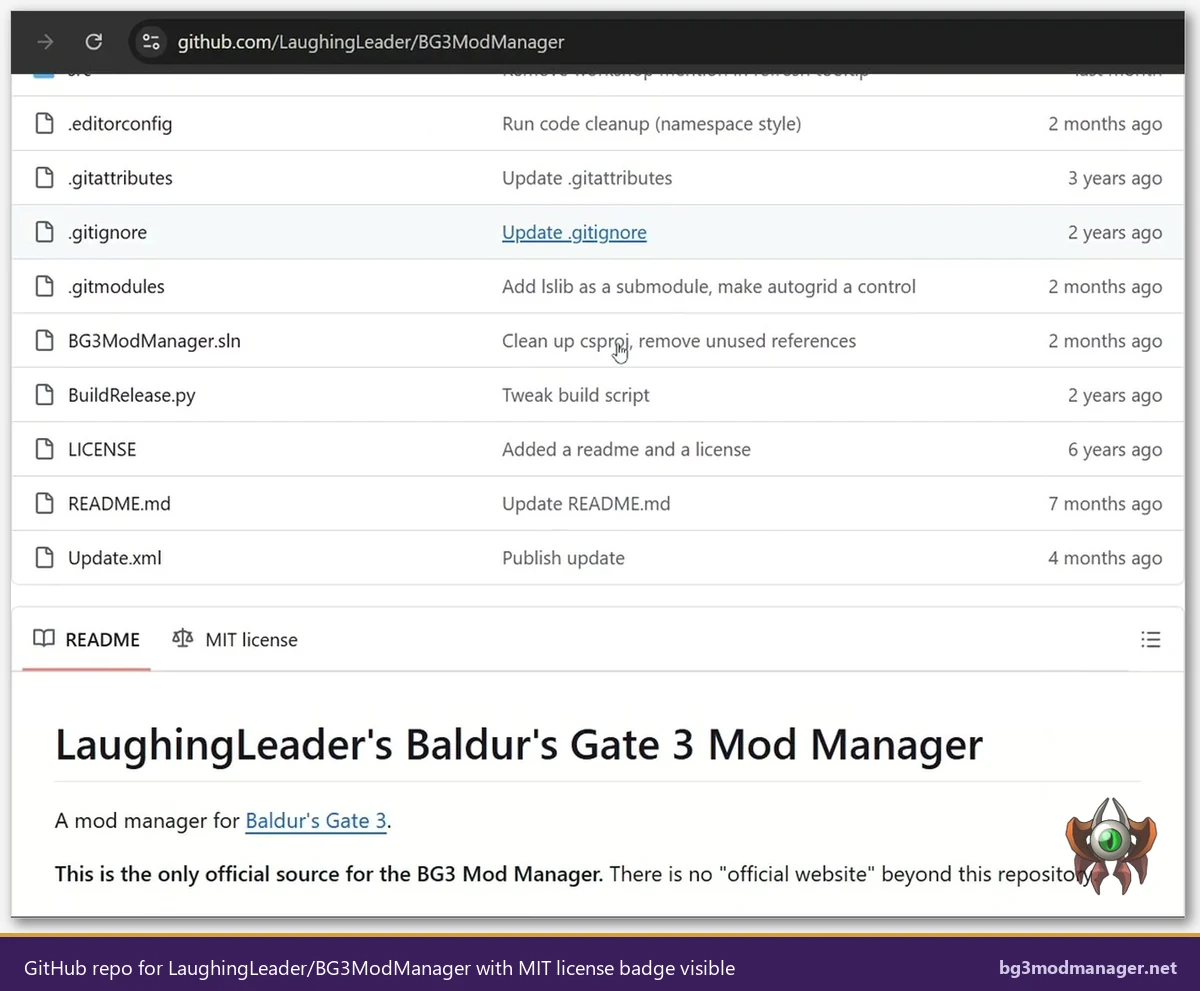
Open-source licensing does not, on its own, guarantee that a binary is benign: a malicious maintainer could in theory ship code that differs from the public source. What MIT licensing does provide is the legal and technical ability for any user to compile the manager from source and compare the resulting binary against the released zip. This reproducibility check is the audit trail that distinguishes BG3MM from closed-source mod managers, where the user has to take the publisher’s word for what the executable does.
What the Application Actually Reads and Writes on the System
One of the strongest safety arguments for BG3 Mod Manager is the small, well-defined disk footprint. The application is portable: there is no installer, no registry write, no Windows service install, and no scheduled task creation. Every file path it touches falls inside one of four scoped locations. The list below catalogs each one along with the reason the manager needs access.
- Application folder (wherever the user extracted the zip): the manager reads its own DLLs, the LSLib bundle inside
_Lib, and the icons stored inResources. It does not write to this folder during normal operation. %APPDATA%\BG3ModManager: this is where the manager persists its own state, including saved load orders (JSON files), custom tags, recent paths, and the application settings. Wiping this folder resets the manager to a clean state without affecting the game.%LOCALAPPDATA%\Larian Studios\Baldur's Gate 3\Mods: read-only enumeration of installed.pakfiles. The manager parses each file’smeta.lsxto populate the inactive pane.%LOCALAPPDATA%\Larian Studios\Baldur's Gate 3\PlayerProfiles\Public\modsettings.lsx: write access. This is the single file the manager rewrites when the user clicks Save Load Order. The format is the LSX XML schema documented in the LSLib project.- Game Data Path (Steam, GOG, or GamePass install directory): read-only. The manager scans
Data\Publicto detect the installed BG3 build version and to load the base game’s mod metadata.
What the manager does NOT touch is at least as important as what it does. There is no network telemetry, no automatic update channel that downloads code in the background, no kernel driver, no anti-cheat injection, and no Steam workshop hooking. The Tools menu can launch an external Script Extender installer, but only when the user explicitly clicks the menu option. Issue #22 in the project tracker contains a long-running discussion about file-permission errors when the application folder is placed inside Program Files; the recommendation in that thread, which is now standard, is to extract to a user-writable folder instead.
For users who want hard evidence rather than documentation, Process Monitor (Sysinternals) can be configured to filter on BG3ModManager.exe and capture every file system, registry, and network operation the application performs during a session. Running such a capture for a full launch-refresh-export cycle typically produces a few thousand events, all of which fall inside the four locations listed above.
Why Antivirus Software Sometimes Flags BG3 Mod Manager
A search for “BG3 Mod Manager virus” or “BG3MM malware” surfaces a steady trickle of forum posts where a user reports that Windows Defender, Avast, BitDefender, or a similar engine has quarantined the executable. These reports are nearly always false positives, and the underlying mechanics are well understood by anyone who has shipped a small, unsigned .NET application.
Three properties of the manager combine to trigger heuristic engines. First, the binary is not Authenticode-signed by a Microsoft-trusted publisher: code-signing certificates from Sectigo, DigiCert, or similar authorities cost between 200 and 400 USD per year, which is a heavy lift for a hobbyist project. Second, the application is published with low download volume relative to mainstream software, so reputation-based scanners (notably Microsoft SmartScreen) categorize fresh releases as “not commonly downloaded.” Third, the manager performs file-system operations and uses .NET reflection, both of which are common patterns in legitimate utilities and in malware alike.
SmartScreen behavior is the single most common surface for the “BG3 Mod Manager virus” perception. When a user double-clicks an unsigned binary that Windows has not yet seen on enough machines, SmartScreen displays a blue dialog warning that “Windows protected your PC” and recommends not running the application. Clicking More info reveals a Run anyway button. This is documented behavior for every unsigned executable, not a malware indicator. Once enough users run a given version of the manager, the SmartScreen reputation score rises and the dialog stops appearing.
For users who want a second opinion, uploading BG3ModManager.exe to VirusTotal runs the file against roughly 70 antivirus engines simultaneously. Recent releases of the manager typically return either a clean scan or one or two heuristic flags from less mainstream engines, which is the signature of a false positive rather than a real detection. Issue #73 in the GitHub tracker contains a multi-year history of users reporting AV flags and the maintainer documenting the same false-positive pattern across releases.
Verification Steps Users Can Run Themselves
Anyone who wants independent confirmation that a downloaded copy of BG3 Mod Manager matches the official release can run the following four checks in sequence. None of them require developer tools beyond what ships with Windows or what is freely available from public web services.
- Confirm the download URL. The only authoritative download links point to
github.com/LaughingLeader/BG3ModManager/releases. Any other host (Softonic, FileHippo, mirror sites) repackages the archive and is outside the maintainer’s chain of custody. The download page on this site mirrors the GitHub release URL directly. - Compute the SHA-256 hash. In PowerShell, run
Get-FileHash BG3ModManager_Latest.zip -Algorithm SHA256. Compare the resulting hex string against the hash recorded on the GitHub release page. A match proves the bytes on disk are identical to the bytes the maintainer uploaded. - Upload the executable to VirusTotal. After extracting the archive, drag
BG3ModManager.exeonto the virustotal.com upload form. The resulting report shows detection counts, behavioral analysis, file metadata, and the community comment thread. A score of 0 to 2 detections out of 70 engines is the expected baseline for unsigned hobbyist .NET binaries. - Inspect or build the source. The repository at
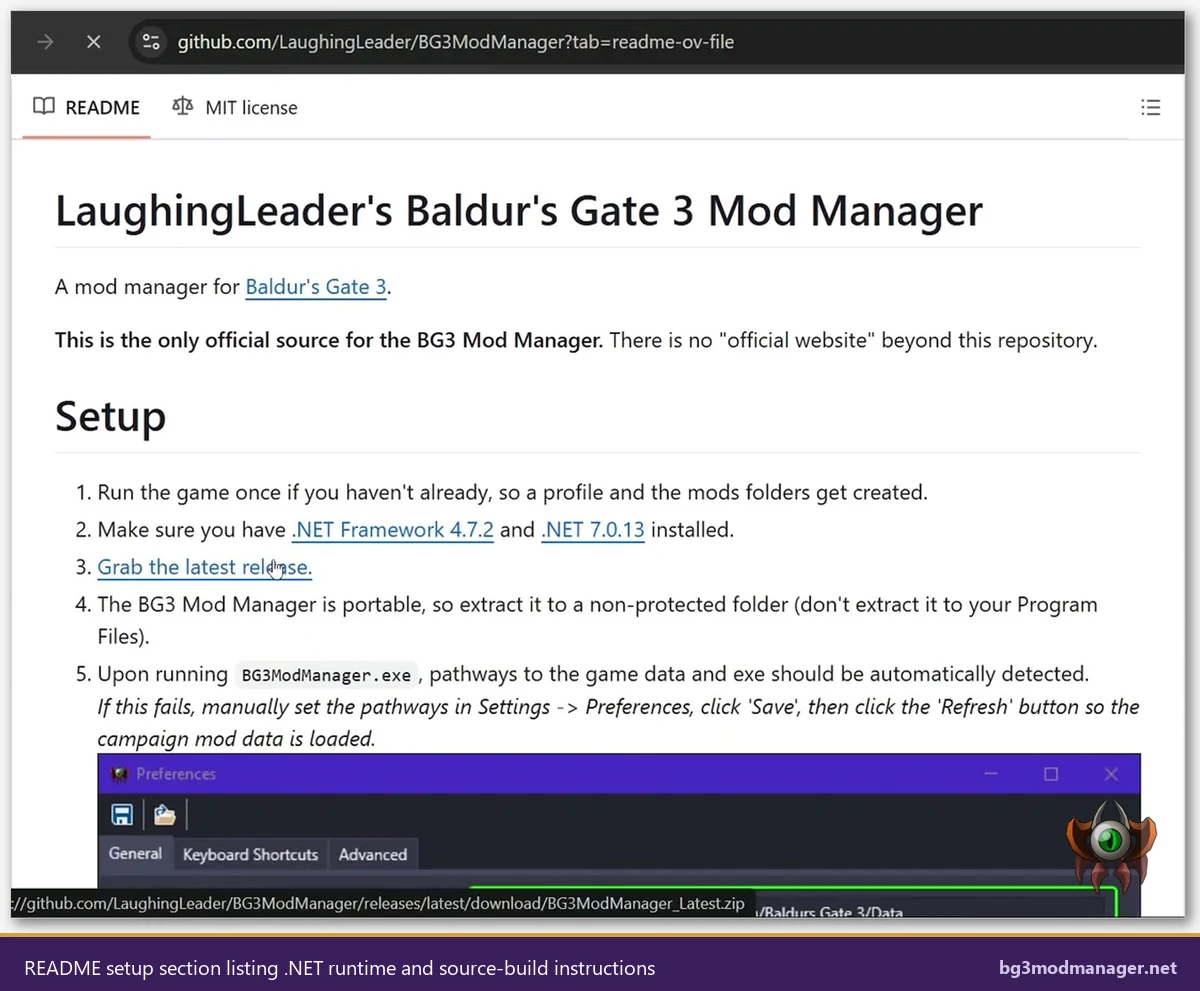
github.com/LaughingLeader/BG3ModManagercan be cloned, opened in Visual Studio, and built directly. Building requires the .NET 8 SDK and a few NuGet packages; the README documents the procedure. The compiled output can then be byte-compared against the release zip to confirm reproducibility.
The verification chain above is what professional software assessors call a defense-in-depth audit: each step proves a different property (origin, integrity, behavior, reproducibility), and a malicious replacement would have to defeat all four to slip through. For a free tool maintained by a single person on GitHub, this audit surface is unusually deep. Most commercial software offers only the first two steps because the source code is closed and behavioral analysis depends on what the publisher chooses to disclose.
Repackaged Copies Are the Real Risk Vector
Treat any file labeled BG3ModManager.exe that did not come from the official GitHub release as suspect. Repackaged copies on third-party download portals often add adware wrappers or trojanized installers, which is the genuine source of malware reports for this category of tool.
Risks That Are NOT BG3 Mod Manager’s Fault
Several risks that users associate with the manager are actually properties of the modding ecosystem or of Larian’s policies. Distinguishing these is important because no version of the mod manager can eliminate them: they exist regardless of which tool is used to enable mods.
- Modded saves cannot return to vanilla cleanly. Once a save is created with active mods, removing those mods can leave the save in a broken state because the missing mod data is referenced internally. This is a property of how Baldur’s Gate 3 stores state, not a manager bug. Maintaining a separate vanilla save before installing any mod is the standard mitigation.
- Honour Mode achievements disable when mods are active. Larian explicitly disables Honour Mode achievements for any save that has loaded modded content. The mod manager surfaces this state but does not cause it. The Tools > Disable Achievements Patch option in some workflows is documented as a community workaround that carries its own risk; users should weigh that decision independently.
- Multiplayer mismatch errors. All players in a multiplayer session must run identical mod lists for the lobby to remain stable. The manager can export a load order to share with co-op partners, but it cannot reach across the network and synchronize peers. Mismatch errors and disconnections are a function of the multiplayer architecture, not the manager.
- Individual mod quality. A mod author can ship a poorly tested
.pakthat crashes the game, bricks a save, or conflicts with other mods. The mod manager parses metadata and applies load order, but it does not validate that any given mod’s runtime behavior is bug-free. This is the same trust relationship that exists with any plugin ecosystem. - Cracked or pirated game copies. The manager assumes a legitimate Baldur’s Gate 3 install. Workflows built on top of cracked game files often produce file-permission and pathing errors that look like manager bugs but originate in the modified game install.
None of the items above involve the mod manager altering game files in unexpected ways or transmitting user data anywhere. The only file the manager rewrites in the game profile is modsettings.lsx, which is the same file Larian’s own in-game mod manager edits. The achievement disable, the multiplayer mismatch behavior, and the modded-save lock-in are all behaviors that ship with the base game and apply to any tool that activates mods.
Comparison to Common Concerns About Other Mod Managers
Mod manager safety is best evaluated by comparison rather than in isolation. The table-style summary below contrasts BG3 Mod Manager’s posture against three categories of alternative tooling that BG3 modders commonly evaluate: Vortex (the Nexus Mods cross-game manager), Larian’s official in-game manager, and ad-hoc manual mod installation.
- Source visibility. BG3MM publishes its full source on GitHub under MIT. Vortex is also open source under the GPL, hosted at github.com/Nexus-Mods/Vortex. Larian’s in-game manager is closed-source and ships as part of the game executable. Manual installation involves no third-party software and is therefore trivially auditable.
- Account requirements. BG3MM requires no account, no login, and no telemetry opt-in. Vortex integrates with the Nexus Mods account for premium-speed downloads but can be used without one. Larian’s in-game manager surfaces the mod.io catalog, which can be used anonymously for browsing but requires sign-in for some operations. Manual installation has no account requirement.
- Network surface. BG3MM does not connect outbound during normal load-order operations; the only network call is the optional Script Extender installer download triggered by an explicit menu click. Vortex maintains persistent communication with the Nexus Mods API for collection and download updates. The in-game manager queries mod.io. Manual installation has zero network surface.
- System privilege. All four approaches run as the user, not as administrator. None of them install kernel drivers or services. The risk delta between them is determined entirely by source visibility and network behavior, not by privilege escalation.
- Antivirus false-positive rate. BG3MM and Vortex both occasionally trigger heuristic flags because they are unsigned or signed by smaller publishers, perform file enumeration, and use scripting runtimes. Larian’s in-game manager inherits the game’s signed publisher status and is rarely flagged. Manual installation does not introduce a binary to scan.
The comparison reveals that BG3 Mod Manager’s safety posture is at least as conservative as Vortex’s and offers a smaller attack surface than any cloud-integrated mod platform. The trade-off is that the user is responsible for downloading .pak files manually rather than receiving them through an in-app catalog, which means the user evaluates each mod’s source independently rather than delegating that to a centralized service.