
BG3 Mod Manager stuck loading profiles is one of the most reported regressions on the LaughingLeader/BG3ModManager tracker since Larian shipped Patch 7 of Baldur’s Gate 3. The application opens, the splash window paints, the status bar reports Loading profiles..., and the interface never advances. This guide explains the underlying format change in modsettings.lsx that older BG3MM builds cannot parse, then walks through the fix on v1.0.12.x and the manual recovery steps for cases where updating alone is not enough. The procedure has been validated against BG3 Mod Manager v1.0.12.9 and Baldur’s Gate 3 Patch 7 and Patch 8.
The symptoms covered include: BG3MM hangs at loading profiles after the user updates Baldur’s Gate 3 to Patch 7, BG3 Mod Manager Patch 7 freeze on the splash screen, modsettings.lsx hang fix scenarios where the file has acquired new XML attributes the older parser does not recognise, and the rarer case where a Patch 8 install is paired with a v1.0.10 or earlier manager. Each scenario is matched to a verifiable diagnostic, not a generic reinstall suggestion.
The Fix Is an Update Plus a Runtime Check
The Loading Profiles freeze is almost always caused by a modsettings.lsx file written by Patch 7 or later that an older BG3 Mod Manager build cannot parse. Updating to v1.0.12.x or newer resolves the freeze in the majority of reported cases. The .NET 8 Desktop Runtime is required for v1.0.12.x and above.
Why Patch 7 Broke modsettings.lsx Compatibility
Patch 7 of Baldur’s Gate 3 introduced Larian’s official in-game mod manager and the supporting infrastructure that ships mods through the Larian content delivery pipeline. To make that pipeline work, the engine writes additional metadata into modsettings.lsx that did not exist in the Patch 6 schema. The new attributes describe the source of each loaded module (Larian-curated, user-installed, in-game subscription) and add per-mod identifiers that link back to the in-game manager’s catalogue. The existing ModuleShortDesc nodes acquired extra attribute keys, and the file as a whole now references a schema version newer than what BG3 Mod Manager builds prior to v1.0.12 were written to handle.
BG3 Mod Manager parses modsettings.lsx on startup as part of the profile-loading routine. Older builds use a strict schema validator that rejects unknown attributes, and the rejection path was implemented as a long retry loop rather than a clean error exit. The visible result is the freeze on the Loading Profiles status string: the parser is repeatedly attempting to read a node it cannot interpret, never advances past it, and never reaches the point where the main window is allowed to populate. The underlying defect is documented in issue #353 on the project tracker, which describes the Patch 7 modsettings.lsx hang and the resulting need for a parser update that became part of the v1.0.12.x release line.
What Changed in modsettings.lsx After Patch 7
- New
ModuleSourceattributes that tag each entry as Larian, Workshop, or local. Older parsers treated unknown attributes as fatal. - An updated
SchemaVersionstring at the document root. Builds before v1.0.12 hard-checked the schema string against a fixed value. - Additional nested children under the
Modsnode referencing in-game subscription identifiers. Older readers iterated past the expected element count and threw on the unexpected children. - A revised serialisation order for the
ModOrderblock. The order change was harmless on its own, but combined with the schema-version hard check it prevented the file from loading at all.
How to Tell If a Hang Is Caused by modsettings.lsx vs Something Else
Not every hang on the BG3 Mod Manager splash screen is a profile-loading issue. Three other failure modes produce visually similar symptoms but require different remediation: a missing .NET 8 Desktop Runtime causes the application to never reach the splash screen at all, a corrupt user-config file in %APPDATA%\LaughingLeader\BG3ModManager causes a freeze before the status bar string changes, and a network-mounted Mods folder on a slow share can stall the initial scan even when the profile parser succeeds. The diagnostic below distinguishes the modsettings.lsx hang from the other three.
Indicators That Point at modsettings.lsx
- The status bar at the bottom of the BG3MM window shows the literal text
Loading profiles...and remains on that string for more than thirty seconds. - The Baldur’s Gate 3 install was updated to Patch 7 (or Patch 8) before the freeze started.
- The installed BG3 Mod Manager version is v1.0.11 or earlier. Users can confirm this by right-clicking
BG3ModManager.exein File Explorer, selecting Properties, and reading the version string on the Details tab. - Task Manager shows
BG3ModManager.execonsuming a small but non-zero amount of CPU (typically 2 to 8 percent) with steady disk reads from the user-profile directory.
Indicators That Point Somewhere Else
- The application closes within a few seconds of launch with no visible window. That pattern matches the .NET 8 runtime issue rather than the profile-loading hang. The dedicated guide on the .NET 8 Desktop Runtime error covers that path.
- The freeze occurs on a status string other than
Loading profiles..., for exampleLoading mods...orInitializing.... Those strings indicate the parser passed the profile step and is failing later in the initialisation sequence. - The hang only occurs after a campaign export. That pattern aligns with the load-order-reset behaviour described in issue #355, which is a separate bug.
- Baldur’s Gate 3 has never been launched on the current Windows account. In that case, the profile directory does not exist yet and BG3MM is failing on a missing path rather than on a malformed file.
The Fix: Update BG3 Mod Manager to v1.0.12.x or Later
The maintainer rewrote the profile parser in the v1.0.12 release line so that unknown attributes are tolerated and the schema-version check is advisory rather than fatal. Updating to any v1.0.12.x build resolves the Loading Profiles freeze for the Patch 7 schema, and v1.0.12.7 onwards adds tolerance for the additional Patch 8 fields. The current recommended build is v1.0.12.9, which ships the latest LSLib parser update and the .NET 8 targeting required for Windows 11 24H2.
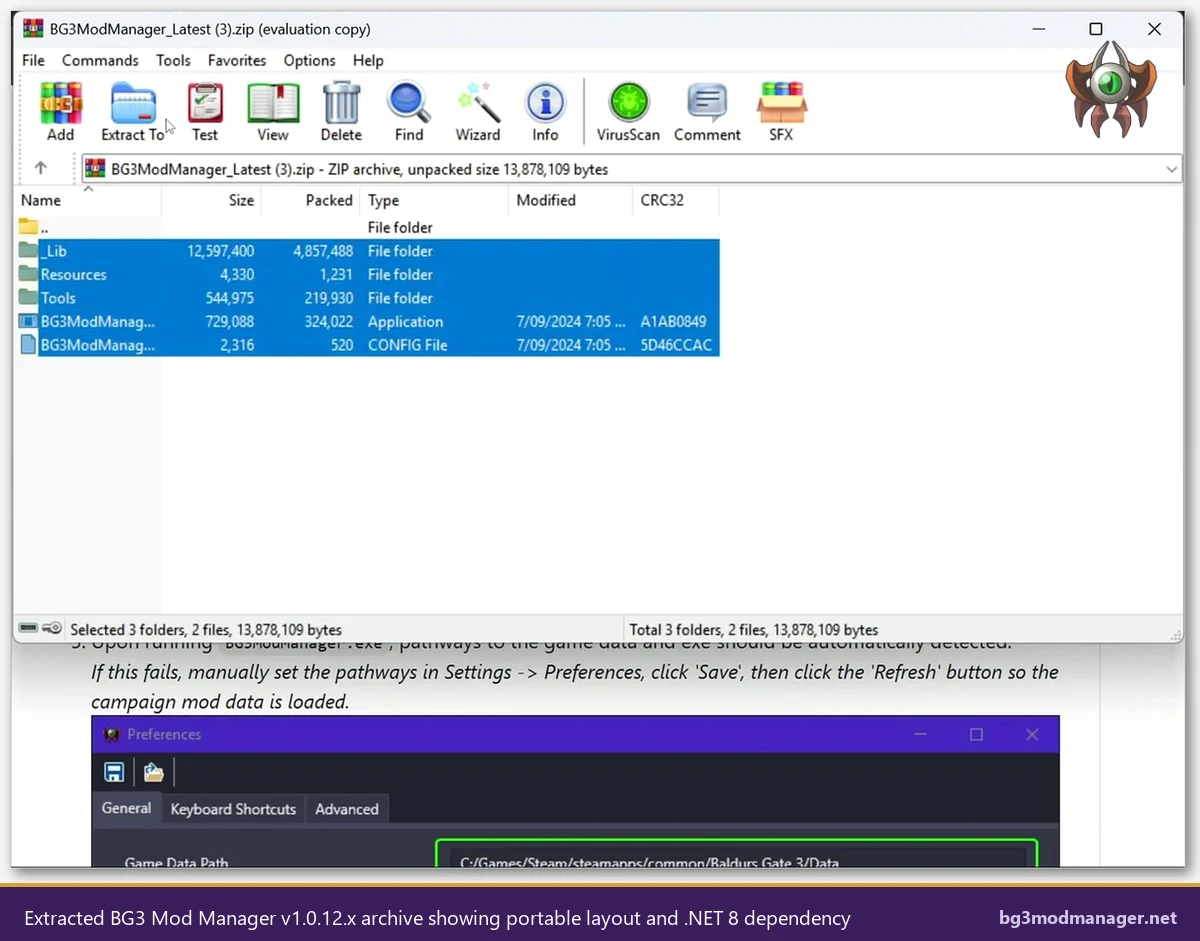
The application is portable: there is no installer to uninstall and no registry entries to clean. Updating consists of replacing the old extracted folder with the new archive contents while preserving the user-config directory under %APPDATA%\LaughingLeader\BG3ModManager. The download link on the official /download/ page always points at the latest signed release on the LaughingLeader/BG3ModManager GitHub repository.
Update Procedure
- Close any running BG3 Mod Manager process via Task Manager. The Loading Profiles freeze does not respond to the window close button on most builds, so ending the process from the Details tab is required.
- Confirm the .NET 8 Desktop Runtime (x64) is installed. Open a Command Prompt and run
dotnet --list-runtimes. Look for a line beginning withMicrosoft.WindowsDesktop.App 8.. If absent, install the runtime from the official Microsoft .NET 8 page before proceeding. - Download the latest
BG3ModManager_Latest.zipfrom the LaughingLeader/BG3ModManager releases page on GitHub or via the homepage / pillar page. - Extract the archive to a user-writable folder. Avoid
C:\Program Filesand avoid OneDrive-synced locations: both produce intermittent permission failures during refresh operations. - Launch
BG3ModManager.exe. The first launch after the update may take longer than usual because the parser is upgrading the cached profile. Wait at least sixty seconds before assuming the new build is also frozen.
Preserve the AppData Config During Updates
Do not delete the AppData config directory unless explicitly instructed below. The user-config folder stores window layout, recently used paths, and load-order presets. Deleting it forces a full first-time setup, which is rarely necessary and which can confuse the diagnostic of whether the update alone resolved the freeze.
When Updating Doesn’t Help: Manually Reset modsettings.lsx
A small percentage of installs continue to freeze on Loading Profiles even after updating to v1.0.12.9. Two patterns drive these residual cases: a previous Override-mod installation left a partial schema in the existing modsettings.lsx that even the updated parser cannot reconcile, or a Patch 8 hotfix wrote a malformed file due to a forced-close mid-write. The fix in both cases is to back up and regenerate modsettings.lsx by allowing Baldur’s Gate 3 to recreate it from defaults.
Locate the Profile Directory
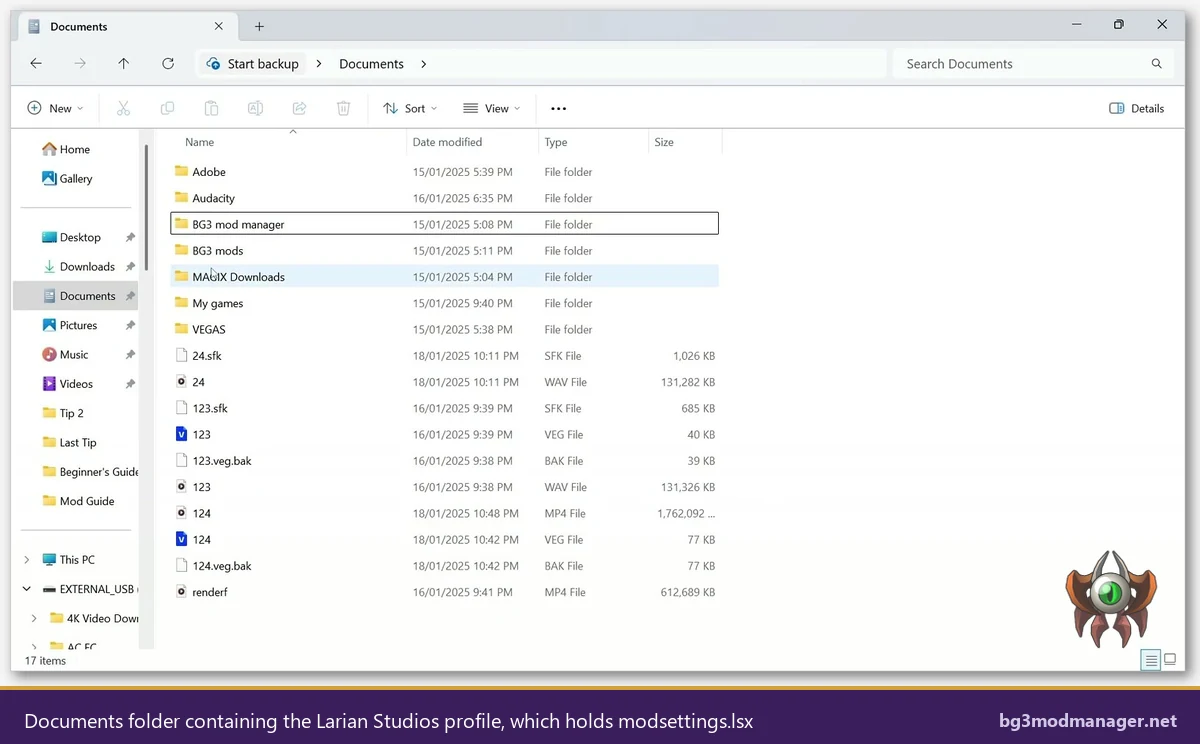
The active profile path on a default Windows install is %LOCALAPPDATA%\Larian Studios\Baldur's Gate 3\PlayerProfiles\Public. The expanded path resolves to C:\Users\<username>\AppData\Local\Larian Studios\Baldur's Gate 3\PlayerProfiles\Public. The two files of interest in that folder are modsettings.lsx (the active load order and module declarations) and modsettings.lsx.bak (the previous version, written by BG3MM before each export).
Backup and Regeneration Procedure
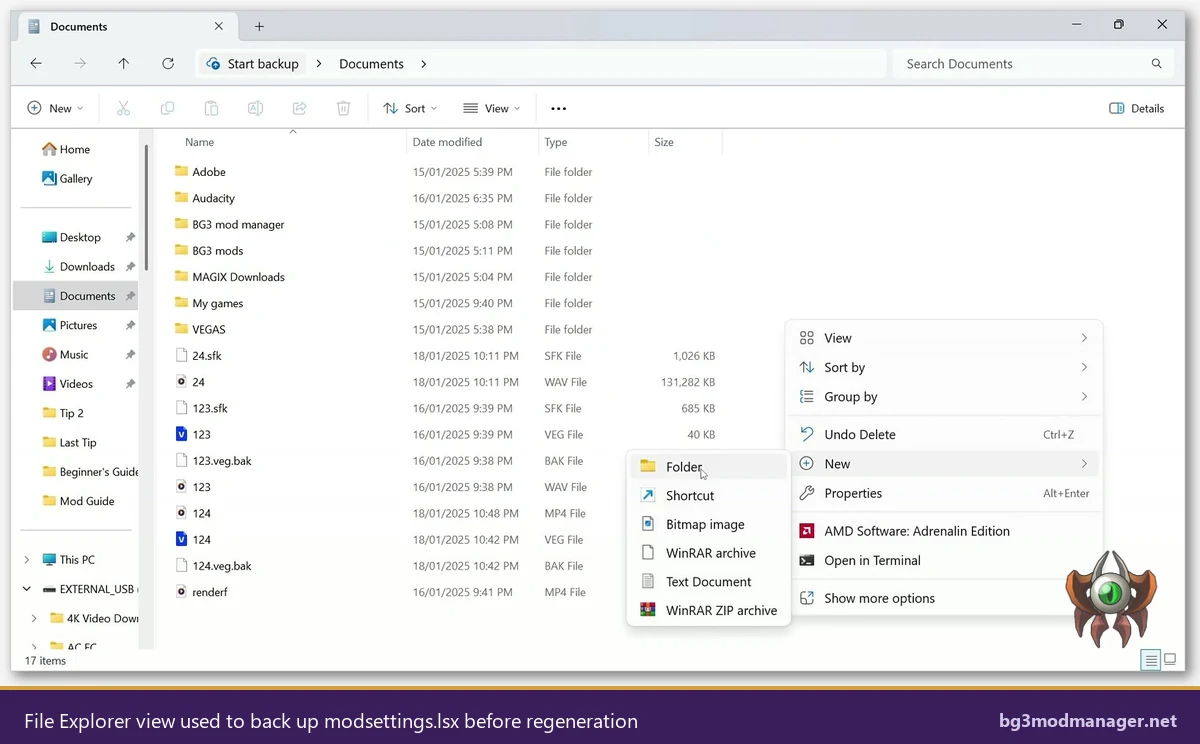
- With Baldur’s Gate 3 closed and BG3 Mod Manager closed, navigate to the Public profile directory. Type the path into the File Explorer address bar to bypass hidden-folder issues.
- Copy
modsettings.lsxandmodsettings.lsx.bakinto a backup folder elsewhere on the disk. Naming the folderBG3MM-Profile-Backup-2026with the date is a reasonable convention. - Delete
modsettings.lsxfrom the Public profile directory. Do not delete the.bakfile: it serves as a fallback if the regeneration step fails. - Launch Baldur’s Gate 3 normally (without going through BG3MM). The game will detect the missing profile file and write a clean default
modsettings.lsxon first reach of the main menu. Quit the game once the main menu has loaded. - Launch BG3 Mod Manager. The Loading Profiles step now reads a freshly generated, schema-valid file and should advance to the main window within a few seconds. The Active Mods list will be empty because all module declarations were regenerated from defaults; users restore their load order from the BG3MM
File > Load Load Order from Filemenu if a previous order was saved, or rebuild it from scratch.
The official Patch 7 troubleshooting page on the BG3 community wiki documents this regeneration step as the canonical recovery for any modsettings.lsx file that the engine itself cannot parse. The same procedure applies when LSLib (the parsing library that BG3 Mod Manager embeds) emits a parse error in its log file rather than freezing.
Edge Cases: Corrupt Larian Profile, Multiple Campaigns, Leftover Override Mods
Three secondary scenarios produce a Loading Profiles hang that survives both the update and the modsettings.lsx regeneration. Each has a distinct fingerprint and a targeted remediation that does not require uninstalling the manager.
Corrupt Larian Profile (PlayerProfiles\Public)
If the Public profile directory contains files older than the current game install, the engine may regenerate modsettings.lsx only partially and leave a hybrid file the parser cannot handle. The remediation is to rename the entire Public folder to Public-Old, launch Baldur’s Gate 3 once to write a fully fresh profile, then copy non-modsettings files (saves, profile preferences) back from the renamed folder. Issue #418 captures a similar pattern after a Patch 8 hotfix that rewrote profile defaults.
Multiple Campaigns Listed in the Profile
BG3 Mod Manager iterates every campaign listed in the profile during the Loading Profiles step. If a campaign references a deprecated module identifier from before the Patch 6 to Patch 7 transition, the parser stalls on that single campaign rather than skipping it. The fix is to open the BG3MM Preferences, set Selected Campaign to the default Main campaign, and resave preferences. Operators with several campaigns should test launches one campaign at a time after the v1.0.12.x update.
Leftover Override Mods in the Game’s Data Directory
Override mods, which install loose files directly into Baldurs Gate 3\Data, are not tracked by modsettings.lsx, but their presence can cause Baldur’s Gate 3 to write a degraded profile on first launch after Patch 7. Users who installed Override mods before Patch 7 should remove the loose files from the Data directory (verifying game files via Steam or GOG is the simplest route), launch Baldur’s Gate 3 once to rewrite the profile cleanly, then reapply Override mods only if the corresponding mod author has confirmed Patch 7 compatibility. Issue #313 on the tracker discusses the same pattern in the context of post-Patch update behaviour.
Verification That the Fix Worked
After applying the update or the manual regeneration, four observable signals confirm the parser is healthy and the Loading Profiles step has completed correctly. Operators should run all four checks before declaring the freeze resolved, because a partial fix can leave the application functional on the surface while still failing on subsequent operations such as load-order export.
- The status bar at the bottom of the main BG3MM window advances past
Loading profiles...within ten seconds of launch and reports a final state such asReadyor a numeric mod count. - The Inactive Mods pane on the right populates with every .pak file present in the Mods directory under
%LOCALAPPDATA%\Larian Studios\Baldur's Gate 3\Mods. A populated list confirms both the profile parser and the mod scanner completed. - Selecting File > Export Order to Game writes a fresh
modsettings.lsxwithout errors. Opening the resulting file in a text editor should show valid XML with the Patch 7 schema attributes intact. - Launching Baldur’s Gate 3 from BG3 Mod Manager via the Play button produces a normal main menu with the modded content visible. A failed export typically manifests as the load order resetting on next BG3MM launch, which is a separate issue tracked under issue #355.
Operators who want to monitor the parser’s behaviour can enable the BG3MM log via File > Preferences > Advanced > Enable Logging. The log under %APPDATA%\LaughingLeader\BG3ModManager\Logs records every profile-load attempt with timestamps and parser warnings, simplifying future regression diagnosis.