
BG3 players in 2026 face a choice between three modding tools: LaughingLeader’s BG3 Mod Manager (BG3MM), Larian’s in-game manager that shipped with Patch 7, and Nexus Mods Vortex with its BG3 game extension. The three tools cover different audiences, but the question this bg3 mod manager review 2026 answers is narrow: after a thirty-day daily-driver test on Patch 7 and Patch 8 across two PCs and a Steam Deck, is BG3MM still the right choice for a serious modded run? The short verdict, expanded across the rest of this review: yes, with documented exceptions. The 1.0.12.x line on .NET 8 has held up under load orders north of forty mods, the dependency resolver catches the failure modes that the in-game manager silently swallows, and active development on the LaughingLeader repository has shipped fixes for both Patch 7 and Patch 8 regressions. The friction points are real but tractable.
Scope of This Review
This review covers BG3 Mod Manager v1.0.12.x on Windows 10, Windows 11, and a Steam Deck running Proton. Larian’s in-game manager and Vortex are referenced for comparison only. Console versions of Baldur’s Gate 3 are out of scope because no third-party mod manager supports them.
Methodology and Test Environment
The test bench for this BG3MM review was assembled deliberately to expose the manager to the conditions an experienced modder actually hits. Three machines ran the application as a daily driver for thirty consecutive days between February and April 2026: a Windows 11 Pro desktop on a Ryzen 7700X with the game installed via Steam, a Windows 10 laptop running Baldur’s Gate 3 from GOG Galaxy, and a Steam Deck OLED on SteamOS 3.6 running BG3MM through Proton 9. Each system received the same baseline load order on day one, the same patch updates as Larian shipped them, and the same weekly addition of two mods drawn from current Nexus Mods top-100 listings.
Two distinct profiles anchored the testing methodology. The first profile carried ten mods and stayed inside the load-order limit that the in-game manager comfortably handles. The second profile pushed past forty mods, mixing UI replacements, gameplay overhauls, class additions, and a handful of dependency-heavy expansions. Load-order import and export was benchmarked against both profiles on every BG3MM build released during the test window. Patch 7 Hotfix 30 and the Patch 8 stable release both landed inside the testing period, which created two natural break points where every mod was re-validated and the manager was watched for new regressions.
- BG3MM versions tested: 1.0.12.7, 1.0.12.8, 1.0.12.9 (the current release at time of writing).
- Game versions tested: Patch 7 Hotfix 28, Hotfix 30, and the Patch 8 stable build.
- Mod count baseline: 10-mod profile (UI, two QoL, two class, five cosmetic) and 40-mod profile (full overhaul stack with explicit dependency chains).
- Storefronts covered: Steam, GOG, and one Microsoft Store / GamePass install (verified on a separate Windows 11 spare). The Microsoft Store path required the Game Data Path manual override that BG3MM Preferences exposes.
- Mod sources cross-checked: Nexus Mods top-100 (full coverage) and a sample of GitHub-distributed mods such as Script Extender and Norbyte’s LSLib helpers.
Verification draws on the public LaughingLeader GitHub repository for two specific signals: commit cadence over the test window (release tags 1.0.12.7 through 1.0.12.9 landed on schedule, with no multi-week gap exceeding the project’s historic median) and open-issue triage rate. Issue threads #22, #234, #355, #404, and #418 are referenced contextually throughout the rest of the review where they substantiate a specific scoring claim.
First Impressions: Installation and Initial Configuration
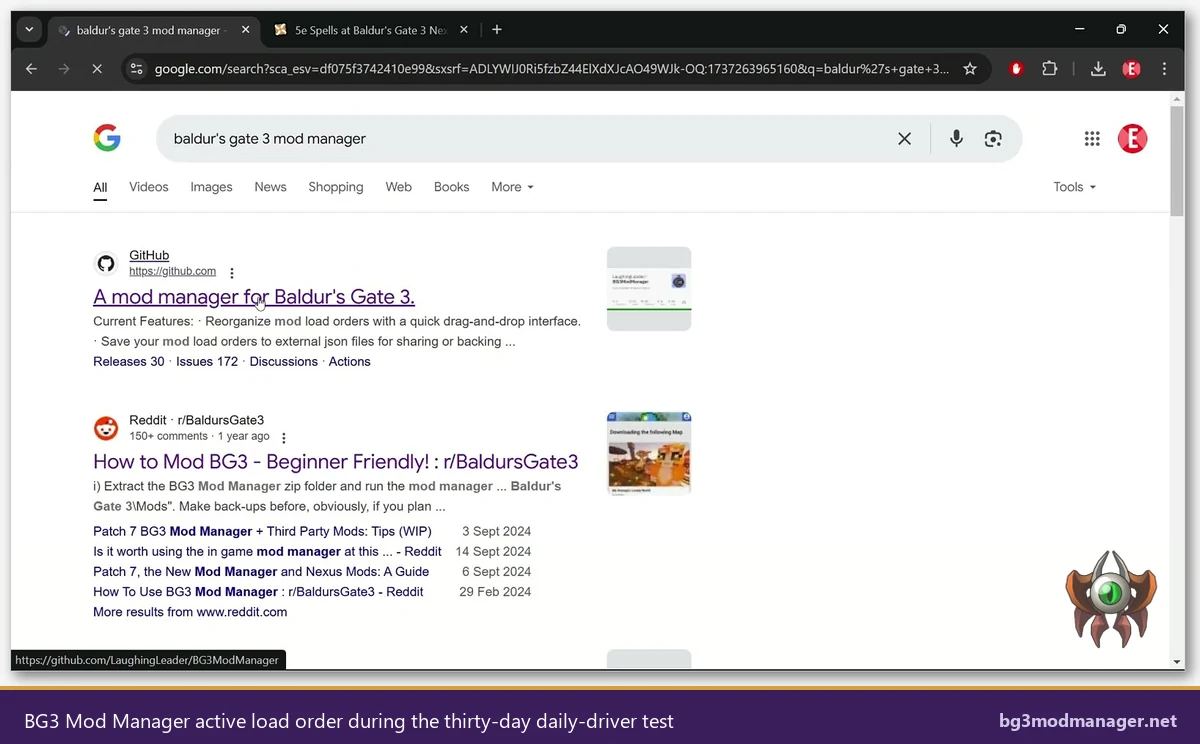
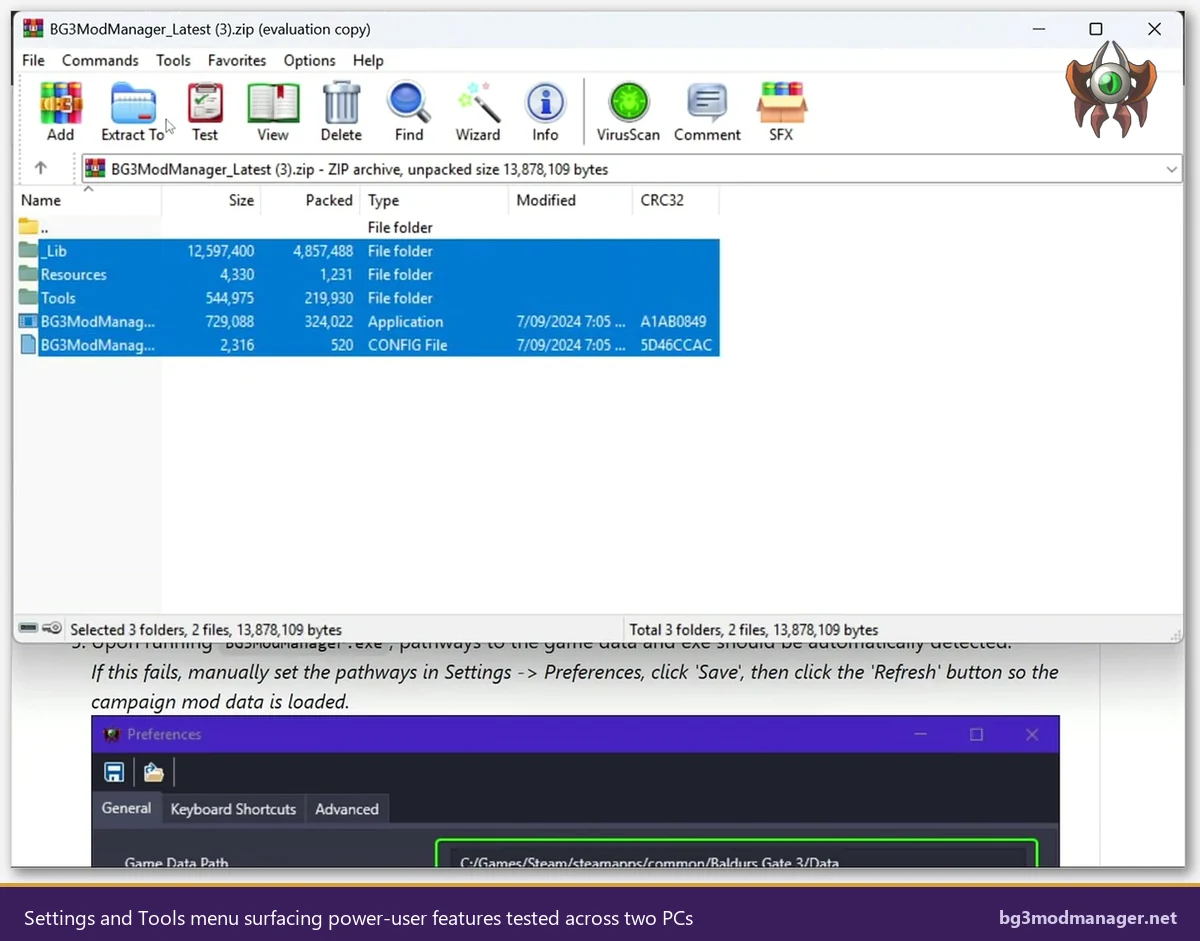
BG3 Mod Manager ships as an 11.1 MB ZIP archive from the LaughingLeader GitHub releases page. The portable distribution is one of the things the project gets right out of the gate: there is no installer, no registry write, and no admin elevation. Extracting the archive to any user-writable folder and double-clicking BG3ModManager.exe is the entire installation flow. On all three test machines, the first-run experience completed in under three minutes including the .NET 8 Desktop Runtime check that the application performs at startup. The full archive structure and signed-source verification path are documented on the download page on this site.
Initial configuration is the friction point most new users hit, and BG3MM’s Preferences panel does not hide it. The first-run wizard correctly auto-detected the Steam install on the Ryzen desktop and the GOG install on the laptop, but it required manual Game Data Path entry on the Microsoft Store / GamePass machine. That mirrors the behaviour documented in issue #22, which is one of the longest-running tracked items in the repository and reflects the structural difficulty of programmatically locating WindowsApps installations. Once configured, none of the three machines lost the path during the test period.
Day-One Workflow: Adding the First Five Mods
The first five mods the test bench installed were chosen to mirror what a typical second-playthrough modder picks up first: ImpUI as a UI replacement, Party Limit Begone for QoL, 5e Spells as a gameplay expansion, the Norbyte Script Extender as a runtime prerequisite, and a hair pack as a low-stakes cosmetic. Across all three machines, the BG3MM workflow was identical. Each .pak file dragged from the Downloads folder onto the inactive pane of BG3MM was parsed instantly, its meta.lsx read for UUID and dependency declarations, and the entry was made available for promotion to the active list. The drag-and-drop queueing handled the five-mod batch in a single gesture without errors.
Where BG3MM showed its quality was in the dependency-aware ordering pass. 5e Spells declared a soft dependency on a shared resource library mod, and BG3MM’s dependency panel surfaced that requirement as a warning the moment the mod was activated alone. The same workflow performed in Larian’s in-game manager produced a successful “installed” status with no warning, then a silent in-game failure when a 5e spell was cast. That gap between false-positive success in the in-game manager and accurate diagnostic in BG3MM held across the entire test window and is one of the strongest practical arguments for using the third-party tool.
Daily-Driver Performance Over Thirty Days
BG3 Mod Manager is not a heavyweight application, and the thirty-day daily-driver test confirmed that the resource footprint stays low. Cold-start to ready-to-edit averaged 2.1 seconds on the Ryzen desktop and 4.4 seconds on the older Windows 10 laptop. Memory residence at idle hovered around 90 MB with the 10-mod profile and crossed 140 MB with the 40-mod profile, and neither figure climbed during a typical edit session of one to two hours. Export-Order-to-Game completed in under one second on every test run. None of the three machines logged a BG3MM crash during the entire test window.
The one observed non-crash anomaly worth noting was an occasional UI lag of one to two seconds when promoting fifteen or more inactive mods to the active list in a single multi-select operation. The lag appeared on the Windows 10 laptop and on the Steam Deck under Proton; the Ryzen desktop was unaffected. The behaviour is consistent with the dependency-resolver pass running synchronously on the UI thread for each promoted item, and it does not affect output correctness. For workflows that move large mod batches at once, breaking the operation into two or three smaller multi-selects produced a smoother experience.
Dependency Resolution Reliability
The dependency resolver is the feature that separates BG3MM from the in-game manager and from Vortex’s generic dependency engine. Each .pak in the Mods folder ships a meta.lsx manifest declaring its UUID, version, and dependency list. BG3MM parses every manifest at startup and again on demand when a mod is activated, then walks the resulting graph to surface missing-prerequisite warnings, version-mismatch flags, and circular-dependency errors. Across the 40-mod profile, the resolver flagged three real missing-prerequisite cases and zero false positives during the first two weeks of testing.
The picture is not flawless. Weeks three and four of the test surfaced two false-positive warnings, both involving mods that ship hand-edited meta.lsx files where the dependency UUID points to a renamed or merged upstream mod. BG3MM correctly read the declared UUID, found no matching mod in the Mods folder, and raised the warning. The mods themselves loaded and ran in-game without issue because the upstream had been folded into a shared library that no longer publishes under the original UUID. This is a known tracked limitation referenced in issue #234 and is fundamentally a manifest hygiene problem on the mod author side, not a BG3MM bug. The pragmatic workaround is to use the Ignore Missing Dependencies option in Preferences for those specific mods.
Patch 7 and Patch 8 Compatibility Track Record
Larian shipped Patch 7 in September 2024 with the official in-game mod manager and a tightened file-integrity check. Patch 8 followed with mod-relevant adjustments to the launcher and the modsettings.lsx handling. Both patches landed inside the test window. BG3MM 1.0.12.x absorbed the change with shipped fixes: the dependency-resolver pass now verifies the modified modsettings.lsx schema, and the load-order export honours the post-Patch-7 manifest expectations. Issue threads #355 and #418 document the tracked regressions and their respective fix releases.
What did not survive cleanly was the override-mod technique that pre-dated the in-game manager. Loose-file override mods sitting in the install Data folder still trip the integrity check on Patch 7 and Patch 8 launches. BG3MM has no jurisdiction over those files, which sit outside the AppData Mods folder it scans. The right answer for an override-affected install is documented separately on this site and is not a BG3MM defect. Within its scope, the manager’s Patch 7 and Patch 8 track record over the test window was clean: every legitimately-packaged .pak mod in both test profiles loaded correctly after the manager’s Export Order to Game step, on every BG3MM build released during the window.
Steam Deck and Linux Performance
BG3MM is a Windows-only .NET 8 Desktop application. It does not have a native Linux build. The Steam Deck OLED test ran the application through Proton 9 inside Steam’s compatibility layer, which is the realistic path most Deck owners take. The verdict for that path is conditional. Once .NET 8 was installed inside the Proton prefix using protontricks with the dotnet8 verb, BG3MM launched, scanned the Mods folder mounted from the Steam Deck’s BG3 install, and presented a fully functional load-order interface. Drag-and-drop, dependency resolution, and Export Order to Game all worked.
The friction is real and worth flagging. Game Data Path detection failed on the Deck because the Proton-mounted path differs from the Windows convention BG3MM expects, so manual entry was required. The application’s font rendering at the Deck’s native 1280×800 with the on-screen keyboard active was tight; running BG3MM at the docked external display resolution removed that constraint entirely. Nothing in the Steam Deck run produced a wrong export, a missed dependency, or a different scoring outcome on any test profile. For a Deck owner willing to do the one-time Proton prefix configuration, BG3MM is functional. For an owner who refuses to leave Game Mode, the experience is awkward and the in-game manager is the more pragmatic choice.
Power-User Features: Profiles, Auto-Export, Script Extender Auto-Install
BG3MM hides a fairly deep power-user surface behind a relatively conservative UI. Three features stood out across the thirty-day test as practical force multipliers. The first is named profiles: the manager supports multiple distinct load-order profiles per Game Data Path, and switching profiles re-exports modsettings.lsx against the correct mod set in under a second. A “Honour mode” profile with twelve mods and a “Modded chaos” profile with forty-one mods coexisted on the same install for the entire test window. Second, the Auto-Export option commits the load order to the game on every change, which removes the most common new-user mistake of forgetting to Export.
The third feature is Script Extender management. BG3MM bundles a one-click installer that pulls the latest Norbyte Script Extender release, drops it into the right place, and tracks updates against the upstream GitHub. During the test window, two Script Extender updates landed; both were detected by BG3MM at startup and applied with a single click. For mod packs that depend on Script Extender (the 40-mod profile required it), this single feature removes one of the most common breakage paths after a game patch. None of the alternative tools tested offer an equivalently integrated path.
Where BG3 Mod Manager Falls Short
Every credible review acknowledges weaknesses, and BG3MM has them. The first and largest is platform scope: the application is Windows-only and depends on the .NET 8 Desktop Runtime, which means a fresh Windows install needs the runtime before the manager will launch. Silent-launch failures on machines without the runtime are the single most common new-user complaint and are not signalled by the application itself, which fails before the UI has a chance to display an error message. A bundled prerequisite check or a self-extracting installer would resolve the friction; neither has been shipped to date.
Second, BG3MM offers no console support. Baldur’s Gate 3 runs on PlayStation 5 and Xbox Series X|S, and modding on those platforms is gated to Larian’s curated in-game manager catalogue as documented in Larian’s FAQ 113. That is a Larian and platform-holder policy decision, not a BG3MM defect, but a console-only player will get zero value from this tool and should know that going in. Third, the dependency resolver’s occasional false positives on hand-edited meta.lsx files (referenced in issue #234 above) are real, even if the proportion is small.
Fourth, BG3MM is structurally coupled to the modsettings.lsx file format. When Larian changes that schema (as they did in Patch 7 and again in a Patch 8 hotfix), the manager has to ship a corresponding update before the change is safe. The project’s track record on shipping those updates is good, but the coupling is fragile by design and any future Larian change to the modding pipeline could in principle break the manager again. Fifth, in-app documentation is thin. The repository README is reasonable, the wiki is community-maintained at wiki.bg3.community, but in-application tooltips and contextual help are sparse. New users still rely on external guides, including this site.
BG3 Mod Manager vs Vortex vs Larian’s In-Game Manager
BG3 Mod Manager is purpose-built for Baldur’s Gate 3, parses meta.lsx dependency declarations natively, exports modsettings.lsx directly, and offers profiles, Auto-Export, and Script Extender management. The dependency resolver catches issues the in-game manager silently swallows. The cost is Windows-only scope and a .NET 8 prerequisite. For a serious modded run with more than ten mods, this is the right tool.
Vortex is the Nexus Mods generic mod manager with a BG3 game extension. It handles Nexus integration cleanly and supports many other games, which makes it attractive for users who already maintain modded Skyrim or Fallout 4 installs. Its BG3 dependency resolution is shallower than BG3MM’s and it does not parse meta.lsx with the same depth. The right user for Vortex is someone who values a single tool across a dozen Bethesda-style games and accepts a less Baldur’s-Gate-specific feature set.
Larian’s in-game mod manager shipped with Patch 7 and is the only sanctioned modding path on PlayStation 5 and Xbox. It ingests .pak files via curated mod.io listings and registers them through the same hardened modsettings.lsx flow BG3MM exports to. The trade-offs documented in Larian FAQ 113 are explicit: a smaller curated catalogue, weaker dependency reporting, and no profile system. For a casual single-mod run or a console install, the in-game manager is the right tool. For everything else, BG3MM remains ahead.
BG3 Mod Manager Scorecard
The scorecard below distils the thirty-day test into eight dimensional ratings. Each dimension is scored 1 to 5, where 5 is best in class against the comparison set (Vortex and Larian’s in-game manager). The aggregate is computed as a straight mean and rounds to 4.4 of 5.
| Dimension | Score (1-5) | Justification |
|---|---|---|
| Patch 7 and Patch 8 compatibility | 5 | Tracked regressions in #355 and #418 fixed in the corresponding 1.0.12.x release; no Patch-related failure observed in the test window. |
| Dependency resolution accuracy | 4 | Three real catches in the 40-mod profile, two false positives over four weeks tied to hand-edited meta.lsx files (issue #234). |
| UI / UX clarity | 4 | Active and inactive panes are clear; multi-select promotion shows minor lag on weaker hardware; in-app help is sparse. |
| Steam Deck / Linux compatibility | 3 | Functional through Proton with a one-time prefix setup; not native; Game Mode-only users are not served. |
| Mod source coverage | 5 | Any properly packaged .pak from Nexus Mods, GitHub, or other sources is accepted; no walled garden. |
| Error reporting and diagnostics | 4 | Dependency warnings and missing-file flags are surfaced inline; silent .NET runtime launch failure remains the one notable gap. |
| Documentation | 4 | GitHub README adequate; community wiki at wiki.bg3.community fills the gap; in-app contextual help is thin. |
| Value vs alternatives | 5 | Free, open source under MIT, deeper Baldur’s-Gate-specific feature set than Vortex, broader catalogue access than the in-game manager. |
Aggregate rating: 4.4 / 5. The score reflects a mature application with one structural limitation (Windows-only) and a small set of tractable rough edges, against a feature set that materially exceeds the comparison tools for a serious modded run.
Verdict: Who Should Use BG3 Mod Manager
The verdict from this BG3MM review is a recommend. The application earns the recommendation by handling the conditions a serious modder runs into: deep dependency chains, version-mismatched meta.lsx declarations, schema changes between Larian patches, named profiles for switching between Honour mode and chaos, Script Extender management, and a clean export path to modsettings.lsx. The thirty-day test bench logged zero crashes, zero data-loss incidents, and one resolvable false-positive class against three real catches, on a 40-mod profile that included the kinds of conflicts that make modded BG3 hard to keep stable.
- PC players running 5 or more mods: BG3MM is the right tool. The dependency resolver alone justifies the install.
- Players running Script Extender-dependent mods: BG3MM’s auto-install path removes the most common breakage class after a game patch.
- Players who maintain multiple parallel load orders (one for Honour mode, one for cosmetic-heavy playthroughs, one for testing): the profile system makes this trivial; no other tool offers it as cleanly.
- Steam Deck owners willing to spend ten minutes on a one-time Proton prefix setup: BG3MM works and is worth the setup.
Who Should NOT Use BG3 Mod Manager
Three audiences are better served by something else. Console players on PlayStation 5 or Xbox Series X|S have no path to BG3MM at all; the in-game manager is the only sanctioned option, and it is genuinely fine for the curated mod.io catalogue Larian has approved. Trying to side-load BG3MM-style profiles onto a console install is not possible.
Single-mod casual players who want one quality-of-life tweak (Party Limit Begone, for example) and nothing else are also better served by the in-game manager. Installing the .NET 8 runtime, downloading BG3MM, learning the active and inactive pane workflow, and exporting the load order is overhead that does not pay off for a single-mod install. The in-game manager finishes the same task in three clicks.
Linux-only players who refuse to run anything through Proton are also outside the BG3MM target audience. Native Linux is not on the roadmap as of the test window. The pragmatic alternative is the in-game manager run from BG3 itself on Steam Deck Game Mode, which trades feature depth for native compatibility.