
Choosing between BG3 Mod Manager and Vortex is the single most consequential decision a Baldur’s Gate 3 modder makes in 2026. The two tools sit at opposite ends of the philosophy spectrum: one is a precision instrument built specifically for BG3 by LaughingLeader, the other is a sprawling multi-game launcher from Nexus Mods that treats Larian’s title as one of dozens of supported games. After Patch 7 shipped Larian’s official mod.io subscription system, the gap between the two widened sharply. This BG3 Mod Manager vs Vortex comparison breaks down behavior tested against version 1.0.12.9 of BG3MM and the current Vortex BG3 extension.
The audience for this comparison falls into three groups: returning modders whose Vortex setup broke after Patch 7, new BG3 players researching which manager to install before downloading mods, and Steam Deck or multi-game collectors trying to decide whether a BG3-only tool is worth a second install. Each group gets a separate recommendation in the final section.
What Each Tool Is Designed For
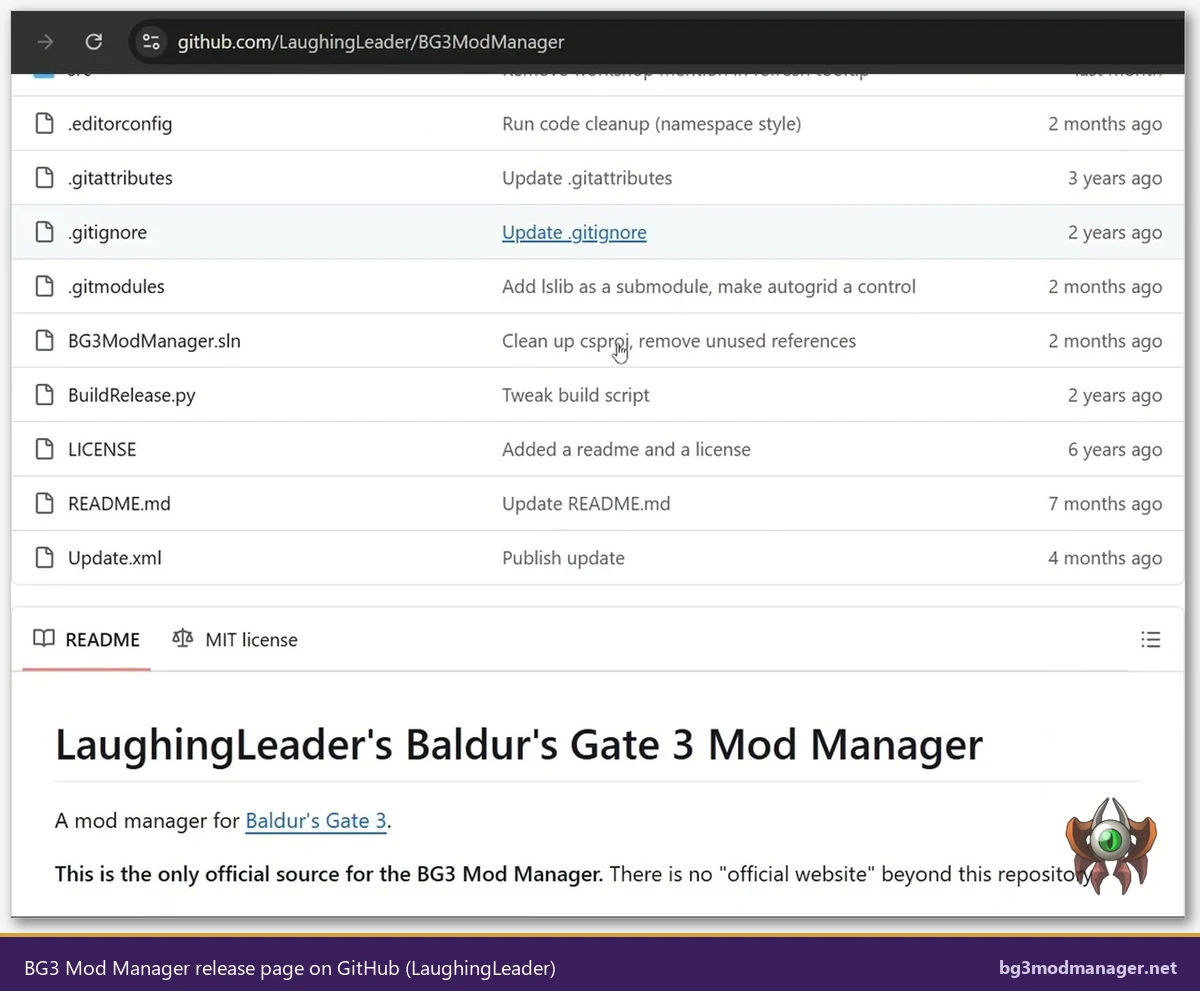
BG3 Mod Manager is a single-game tool. The codebase, hosted at github.com/LaughingLeader/BG3ModManager, exists for one purpose: parse Baldur’s Gate 3 mod metadata, build a valid modsettings.lsx file, and export load orders that the Larian engine accepts. Every feature, from the “Tools” menu Script Extender installer to the dependency resolver, targets BG3’s specific quirks. The application ships as an MIT-licensed open-source project and runs on the .NET 8 Desktop Runtime.
Vortex, built by Nexus Mods at nexusmods.com/about/vortex, is a generalist. The same Vortex install can manage mods for Skyrim Special Edition, Fallout 4, Starfield, Cyberpunk 2077, Stardew Valley, and roughly forty other titles. Each game receives a community-maintained “extension” that defines staging folders, deployment methods, and load order rules. Vortex’s BG3 extension was authored separately from the core application and depends on volunteer maintainers to keep pace with Larian patches.
The design difference shows up everywhere. BG3MM stores its configuration in %LOCALAPPDATA%\LaughingLeader\BG3ModManager and reads mods directly from %LOCALAPPDATA%\Larian Studios\Baldur's Gate 3\Mods, the exact path Larian’s engine watches. Vortex maintains a separate “staging folder” (typically under %APPDATA%\Vortex) and uses a deployment step that links files into the game directory through a virtual filesystem. The virtual filesystem approach gives Vortex its multi-game flexibility but adds an extra layer that can desync from BG3’s expected mod state.
Patch 7 Compatibility Showdown
Patch 7 changed how Baldur’s Gate 3 loads modded content. Larian introduced an in-game mod browser tied to mod.io subscriptions, restructured the Mods directory layout, and altered the way modsettings.lsx is regenerated on launch. The phrase “Vortex BG3 broken Patch 7” became one of the most-searched mod queries of the year because Vortex users discovered that load orders were silently reset on every game launch and that override mods refused to deploy.
BG3 Mod Manager shipped Patch 7 compatibility within the 1.0.12.x series. The 1.0.12.9 release notes call out parser updates for the new mod metadata format and a corrected export routine that survives the launch-time modsettings.lsx rewrite. Users running 1.0.12.9 against a Patch 7 install report stable load orders across reboots.
Vortex’s BG3 extension lagged. Issue trackers across the modding community catalogued symptoms that the LaughingLeader project addressed in dedicated patches: load order resets after launch, missing override mod deployment, and conflicts between Vortex’s staging folder and the new mod.io subscription cache. Maintainers eventually published an updated extension, but the rollout was uneven, and many existing Vortex installs continue to run an older extension version that does not understand the Patch 7 layout.
Operators evaluating which tool to install in 2026 should weigh this carefully. A general-purpose mod manager will always be a step behind a single-game tool when the underlying game changes its mod system. BG3MM updated within weeks of Patch 7; Vortex’s BG3 extension required a longer cycle because the Nexus Mods team maintains forty-plus extensions and prioritizes the highest-traffic titles.
The Patch 7 fallout also surfaced a subtle ordering issue in the launch sequence. Larian’s launcher now writes a fresh modsettings.lsx shortly after the game process starts, replacing whatever the desktop manager exported. BG3 Mod Manager 1.0.12.x detects this rewrite and queues a re-export on the next refresh, while Vortex’s BG3 extension has no equivalent guard and silently allows the launch-time write to win. The visible symptom for Vortex users is a load order that “looks correct” in the manager UI but reverts on every game start. BG3MM’s behavior is loud about the rewrite, prompting the user to confirm the export is current before launch.
For users actively troubleshooting “Vortex BG3 broken Patch 7” symptoms, the migration path is straightforward: disable Vortex’s BG3 extension, copy the staged .pak files from Vortex’s staging folder into the game’s Mods folder, install BG3 Mod Manager 1.0.12.9, and refresh. The drag-drop import will pick up the existing files without requiring redownloads.
Mod Installation Workflow Compared
The day-to-day workflow is the most visible difference between the two tools. BG3MM follows a drag-drop model. Users download a .pak or .zip archive from Nexus Mods or any other source, drag the file into the BG3MM window, and the application parses the metadata, registers the mod, and adds it to the active load order column. No staging folder, no deployment step, no virtual filesystem. The mod is in the game’s Mods folder the moment the drag completes.
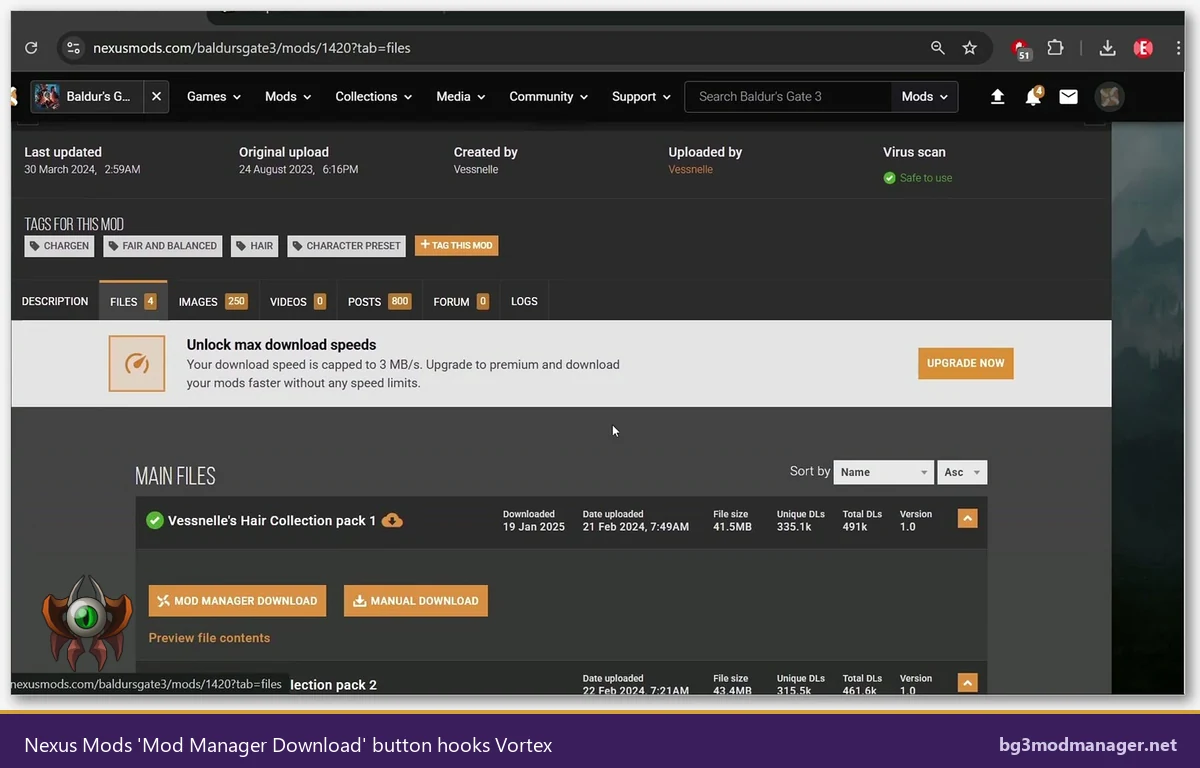
Vortex follows a profile-and-deploy model. A Nexus Mods page provides a “Mod Manager Download” button that hands the archive to Vortex through a custom URL handler. Vortex extracts the archive into its staging folder, marks the mod as “installed” but not yet “enabled,” and waits for the operator to enable and deploy. Deployment links the staged files into the BG3 directory through a hardlink or symlink scheme, depending on the platform.
The trade-off is real. Vortex’s profile system lets a user keep three separate BG3 mod collections (a vanilla-plus profile, a deep overhaul profile, and a multiplayer-friendly profile) and switch between them. BG3MM’s profile feature exists but is lighter weight and tied to BG3’s own profile concept rather than Vortex-style isolated environments. For users who genuinely run multiple distinct mod loadouts, Vortex’s profile system is more capable; for users who run one curated load order, BG3MM’s direct workflow is faster.
File lock behavior differs as well. Because BG3MM writes directly to the game’s Mods folder, an in-game crash that corrupts a single mod is recoverable by deleting the offending .pak from the folder. Vortex’s deployed files are linked from the staging folder, so a corruption event can require purging deployment, repairing the staging copy, and redeploying. The extra steps add resilience for some scenarios and friction for others.
Load Order Management and Dependency Resolution
BG3 mods routinely declare hard dependencies. A combat overhaul might require ImprovedUI, ScriptExtender, and a specific patch level. Resolving these dependencies is where the two tools diverge most dramatically.
BG3MM reads each mod’s meta.lsx file, extracts the declared dependencies, and surfaces missing requirements in a dedicated panel. GitHub issue #404 tracked extensive improvements to the dependency resolver, including stricter version matching and clearer warnings when a parent mod is disabled. The resolver runs every time the load order is refreshed, so a missing dependency is flagged before the user exports to the game.
Vortex offers a generic dependency framework as part of its core, but the BG3 extension does not parse meta.lsx at the depth BG3MM does. Vortex relies primarily on metadata supplied by the Nexus Mods listing rather than the mod’s own meta.lsx. When a mod is sourced from outside Nexus (a Discord drop, a private GitHub release, or mod.io), Vortex has no visibility into the dependency graph, while BG3MM still parses the embedded meta.lsx regardless of source.
Reordering is also handled differently. BG3MM uses a left-pane “active” column and a right-pane “inactive” column with drag-drop reorder, real-time conflict detection, and immediate modsettings.lsx regeneration on export. Vortex uses a “Load Order” tab that surfaces the BG3 extension’s own reorder UI, which historically required a manual deploy step before changes took effect in-game. Operators who tweak load order frequently report a noticeable productivity gap in BG3MM’s favor.
Script Extender Integration
BG3 Script Extender (bg3se) is a third-party DLL by Norbyte that loads custom Lua scripts into the game process. Many mid-to-large mods require it. Both tools can install Script Extender, but the integration depth differs.
BG3 Mod Manager exposes Script Extender as a first-class menu item. Users open Tools, click Download & Extract the Script Extender, and the application pulls the latest release from the bg3se GitHub repository, places DWrite.dll into the game’s bin folder, and verifies the install. The same menu offers a one-click open of the Script Extender configuration folder for editing config.json. The integration is purpose-built for bg3se’s deployment requirements.
Vortex’s BG3 extension can detect that Script Extender is referenced by an installed mod and prompt for installation, but the actual install routine is less polished. Vortex typically downloads Script Extender as a regular mod into staging and deploys it through the same hardlink mechanism that handles .pak files. This works on most setups, but DLL deployment through Vortex’s virtual filesystem can fail under specific antivirus configurations and on Steam Deck Proton installs where DWrite.dll needs to be a real file in the game’s bin directory.
For a Script Extender-heavy load order, BG3MM’s direct installer is the safer path. For a load order that does not use Script Extender at all, the difference is negligible.
One additional consideration: bg3se requires periodic version bumps to track BG3 game updates, sometimes within hours of a Larian hotfix. BG3MM’s Tools menu pulls the latest release directly from the bg3se GitHub release feed, which means a freshly opened BG3MM session shows the current Script Extender version inline. Vortex’s mod-style approach requires the Nexus Mods listing for Script Extender to be updated by a maintainer, then manually downloaded and deployed, adding latency between a game patch and a working modded session.
Side-by-Side Capability Table
The table below summarises the headline capabilities tested against BG3 Mod Manager 1.0.12.9 and the current Vortex BG3 extension. Each row reflects the behavior observed on a Windows 11 install with a Patch 7 BG3 build.
| Capability | BG3 Mod Manager 1.0.12.9 | Vortex (BG3 extension) |
|---|---|---|
| Game-specific design | Yes, BG3 only | No, multi-game generalist |
| Patch 7 support | Native, shipped in 1.0.12.x | Lagged, requires updated extension |
| Drag-drop reorder | Yes, real-time | Yes, via Load Order tab + deploy |
| Dependency resolution from meta.lsx | Full parse, surfaced inline | Partial, relies on Nexus metadata |
| Script Extender installer | Built-in Tools menu, one click | Treated as a regular mod |
| Nexus integration | Manual download then drag | Native “Mod Manager Download” hook |
| Profile system | Light, tied to BG3 profiles | Heavy, isolated environments |
| Virtual filesystem / staging | No, writes directly to Mods folder | Yes, hardlink/symlink deployment |
| Steam Deck support | Tracked in issue #330, community workarounds | Native Linux build, Proton caveats |
| Console support | None, PC only | None, PC only |
| License | MIT, open source | GPL-3.0, open source |
| Author | LaughingLeader | Nexus Mods |
The “Steam Deck support” row deserves a footnote. GitHub issue #330 tracks community work on running BG3MM under Proton. While the application has no native Linux build, users have documented working configurations using protontricks with the .NET 8 Desktop Runtime. Vortex offers a native Linux build, which removes that compatibility layer for the manager itself, but the BG3 mod files still deploy into a Proton prefix that has its own quirks.
Performance Notes
Resource use is one of the rare areas where the comparison favors the lighter tool unambiguously. BG3 Mod Manager is a focused .NET 8 application that idles at roughly 80 to 120 MB of RAM with a 100-mod load order open. Cold start to a usable load order panel takes 2 to 4 seconds on a modern SSD. The application has no background services and no auto-updater that runs outside the main process.
Vortex is a heavier Electron-based application that runs additional services for download management, Nexus authentication, and extension hosting. RAM use sits between 350 and 600 MB depending on which extensions are loaded, and cold start times of 8 to 15 seconds are typical. Vortex also installs a background service for catching “Mod Manager Download” URL handler events, which keeps a small footprint resident even when the main UI is closed.
File lock behavior shows up under specific edge cases. When BG3MM is open and the user launches the game, the application releases its handle on modsettings.lsx immediately after export, so Larian’s launch-time rewrite proceeds without contention. Vortex’s deployment subsystem keeps file handles open longer, and a small number of users have reported transient “file in use” errors during launches with antivirus real-time scanning enabled.
Neither tool has measurable impact on actual game performance: both stop running before BG3 takes the foreground. The performance difference is purely in the management workflow, not the game itself.
Disk footprint is another quiet difference. BG3 Mod Manager’s installed application weighs in around 50 MB plus the .NET 8 Desktop Runtime requirement (already present on most Windows 11 systems). Vortex’s installer expands to 250 to 400 MB depending on bundled extensions and ships its own Electron runtime. For users on smaller SSDs or Steam Deck partitions, the difference is meaningful when stacked alongside a 150 GB BG3 install and a Mods folder that can grow past 5 GB on a heavy load order.
Which Tool Each Audience Should Pick
Single-game power users who want the deepest BG3-specific tooling should pick BG3 Mod Manager. The drag-drop workflow, native Patch 7 support, dedicated Script Extender installer, and stronger meta.lsx dependency parsing all favor the focused tool. Users who maintain a curated 50-to-150 mod load order and tune it regularly will find BG3MM faster to operate and more transparent when something goes wrong. Download links are available on the official download page.
Multi-game collectors who already manage Skyrim Special Edition, Fallout 4, or Starfield through Vortex face a different calculation. Adding a second manager just for BG3 is a real cognitive cost. For these users, Vortex remains a defensible choice provided two conditions hold: the BG3 extension is updated to the current Patch 7-compatible version, and the load order remains modest. Heavy Script Extender setups still benefit from BG3MM running alongside as a verification tool.
Console-feel PC users who simply want the in-game subscription experience may not need either external tool. Larian’s Patch 7 in-game manager covers basic mod.io browsing and load order. BG3MM and Vortex both still add value for sideloaded .pak mods, but the threshold for installing a desktop manager is higher than it was pre-Patch 7. Players in this category should default to BG3MM only if they encounter a specific limitation in the in-game manager.
Steam Deck users have the most complicated decision. Vortex’s native Linux build is appealing, but the BG3 extension’s deployment behavior under Proton is inconsistent. BG3MM through protontricks works for many users tracked in issue #330, but it is not a one-click install. The pragmatic recommendation: experienced Linux modders should attempt BG3MM under Proton; less technical users on Steam Deck may prefer to wait for Larian’s in-game manager to mature further.