
“Will BG3 mods get you banned?” is the single most common safety question typed into search by Baldur’s Gate 3 players considering their first mod install. The short answer, supported by Larian Studios’ own published policy and the absence of any documented account-ban precedent in roughly two and a half years since launch, is no: using mods in Baldur’s Gate 3 does not result in a permanent Steam, GOG, or Larian account ban. Mods do disable Steam achievements while loaded, and modded saves carry a flag that prevents Honour Mode achievement progression, but those are gameplay-side restrictions rather than account penalties.
The longer answer separates the actual consequences of modding (achievement disable, save state flagging, multiplayer mod-list mismatch) from the imagined ones (account suspension, Steam VAC bans, console hardware bans). It also addresses the rarer edge cases where modding genuinely creates trouble: cheat tables that interact with anti-cheat in unrelated games, save-editor abuse that flags a save as corrupted, and console-side workflows that violate platform terms. The sections below cover Larian’s official position, Steam achievement behavior, multiplayer mismatch, the console save boundary, the cheat-mod versus quality-of-life-mod split, save-file modding pitfalls, and practical mitigations.
Larian’s Official Position on Mods (Patch 7+ FAQ Entry 113)
Larian Studios maintains an official support FAQ at larian.com/support/faqs/official-mod-support_113, which addresses the legality and account-safety question directly. The published position, restated across Patch 7 and Patch 8 communications, is that Larian endorses player modding, ships an in-game mod manager that surfaces mods curated through mod.io, and has never issued an account ban for the use of mods in single-player or co-op play. The FAQ explicitly distinguishes between officially supported mods (those uploaded to mod.io through the curated channel) and unsupported mods (the broader Nexus Mods ecosystem and direct .pak installations through tools such as BG3 Mod Manager), but states that neither category triggers account-level penalties.
What the FAQ does state, and what is sometimes misread as a ban warning, is that Larian’s customer support team will not assist with troubleshooting issues caused by mods. Bug reports tied to modded saves are typically closed with a request to reproduce in vanilla. This is a support-policy statement, not a penalty: the player keeps their account, their save, and their mod tooling intact.
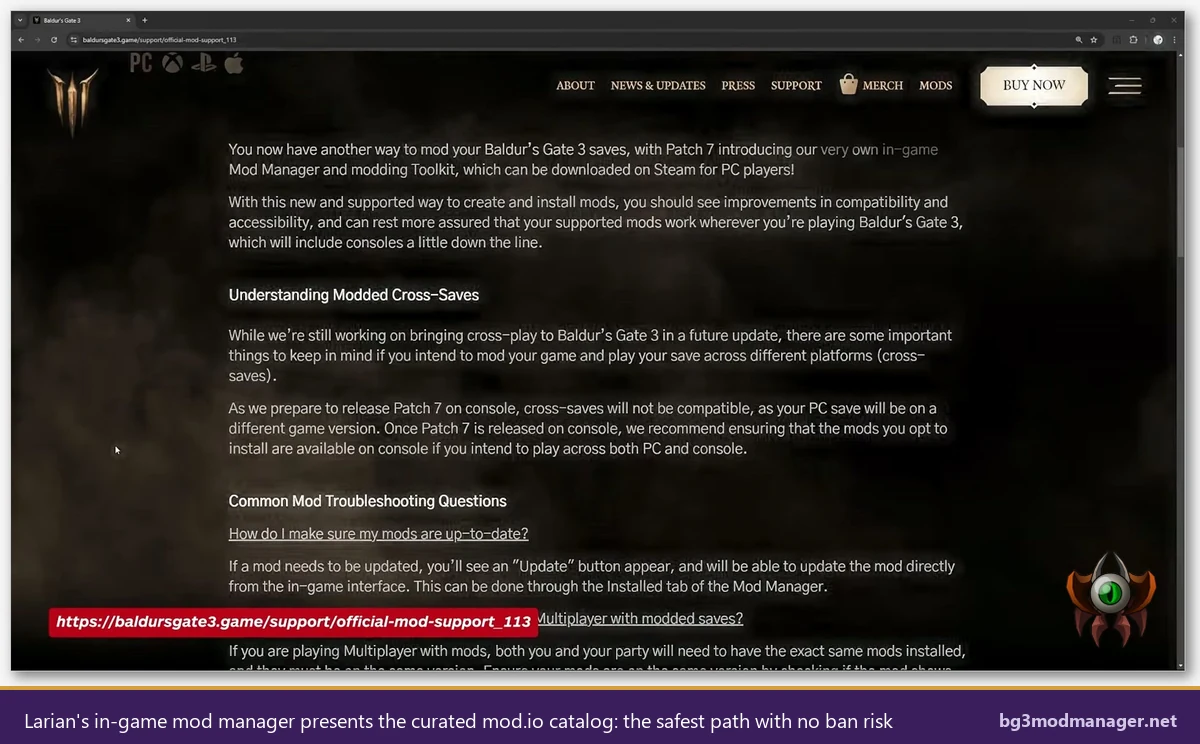
The Patch 7 release notes (September 2024) added the in-game mod manager and made mod loading a first-class feature on every supported platform, including PlayStation 5 and Xbox Series consoles. Patch 8 (March 2025) extended the catalog. Neither change introduces a ban-risk surface; they expand the supported envelope while leaving the unsupported envelope (Nexus Mods, BG3 Mod Manager, Script Extender) outside the support contract but still permitted.
Steam Achievements: What Mods Disable and How to Test Without Risk
Steam achievements are the single most common surface where players notice that mods produce a behavioral change. The mechanic is straightforward: as soon as a save loads with active mods that modify gameplay-relevant systems, Baldur’s Gate 3 sets an internal flag that suppresses achievement unlocks for that save. The flag persists for the lifetime of the save file. It is not retroactively removed by uninstalling the mods, because the save was generated under a modified ruleset and the achievement system cannot verify that progression matched vanilla rules.
Critically, this is a per-save flag, not a per-account flag. The Steam Baldur’s Gate 3 store page achievement list remains fully earnable on the same Steam account using a separate vanilla save. A player can run a modded campaign on Save A, an unmodded Honour Mode run on Save B, and earn the Honour Mode achievement on Save B without any conflict. Steam game properties on the BG3 entry continue to show achievements as unlocked or locked exactly as they would on a pure vanilla install. There is no account-wide achievement lockout.
The list below summarizes the achievement categories and how mods affect each one in current builds (Patch 7 and Patch 8):
- Standard achievements (Tactician completions, class achievements, exploration achievements): suppressed on modded saves, fully earnable on vanilla saves on the same account.
- Honour Mode achievements: require a Honour Mode save started with no mods active. A save started in Honour Mode then loaded with mods will not unlock the Honour Mode rewards even if mods are subsequently removed.
- Cosmetic-only mods (texture swaps, hair packs, dye packs): some community testing suggests cosmetic-only modifications to specific files may not always trigger the flag, but the safe assumption is that any active mod sets the flag. Players who want guaranteed achievement progression should run unmodded.
- UI mods loaded outside the .pak system: mods that operate purely through the in-game mod manager’s curated channel preserve achievements in some categories, since Larian considers the curated catalog official. The unsupported channel does not.
The risk-free testing pattern most commonly recommended by the community is profile separation: keep one PlayerProfile that is mods-active and another that is vanilla. The two profiles do not share saves, and switching between them is a one-click operation in the BG3 main menu. BG3 Mod Manager supports per-profile load orders, which means a player can keep both profiles configured and active simultaneously, switching as needed. The LaughingLeader/BG3ModManager documentation covers this workflow in the README.
Multiplayer and Co-op: Mod Mismatch vs Soft Bans
Baldur’s Gate 3 multiplayer is a peer-hosted, lobby-based system without a connection-blocking anti-cheat such as Easy Anti-Cheat, BattlEye, or VAC. The multiplayer architecture validates mod identity at session join time: every player in a co-op or multiplayer session must run the same mod list, with matching mod versions, for the host’s modsettings.lsx to align with each client’s runtime state. A mismatch produces a “modules differ” error and refuses the connection. This is a session-level rejection, not an account ban. The player retains full access to their account and can rejoin the same session by aligning their mod list.
Because there is no anti-cheat, there is no concept of a “VAC ban” or “Larian ban” for using mods in multiplayer. The worst outcome of a mod mismatch is repeated session-join failures until the load orders converge. For coordinated multiplayer modding, the standard practice is for the host to export a load order through BG3 Mod Manager (File > Export Order to File) and share it with each player, who then imports the same JSON file locally. GitHub issue #22 in the BG3 Mod Manager tracker discusses this export workflow and the file-permission concerns that occasionally arise when the application is placed under Program Files.
The phrase “soft ban” sometimes circulates in modding communities and refers to outcomes that look like a ban but are not. Examples in BG3 include: matchmaking fails because the lobby filter excludes modded sessions, the host’s session lobby refuses join requests because mods do not match, or the BG3 launcher reports “save state damaged” and refuses to load a save. None of these soft outcomes affect the account, the Steam library, or the player’s ability to launch the game in single-player. They are session-state validations, recoverable by reconciling the mod list.
Console (PS5/Xbox) Saves and the One-Way Boundary
Console modding for Baldur’s Gate 3 operates exclusively through Larian’s in-game mod manager and the curated mod.io catalog. PlayStation 5 and Xbox Series console players have no access to BG3 Mod Manager, no .pak file installation pathway, and no Script Extender. The only mods available on console are those approved through the mod.io curation pipeline, which Larian moderates for platform compliance with Sony and Microsoft policies (no nudity, no copyrighted assets, no cheat-style toolkits).
This curation creates a one-way boundary in cross-save scenarios. A save created on PC with unsupported mods active cannot be uploaded to cloud and resumed on console: the console build will reject the save because the referenced mods are not present in the console’s curated catalog. A save created on console with curated mods can typically be downloaded to PC and continued, since the PC build supports the same mods plus optional unsupported additions. Players who use cross-save should keep their PC mod list aligned with the console-available catalog if they intend to switch platforms mid-campaign.
On the ban question specifically: console accounts (PSN, Xbox Live) operate under platform terms of service that explicitly prohibit hardware modification, save-editor abuse, and unauthorized software. Using Larian’s in-game mod manager on console does not violate those terms because it is the platform-approved channel. Loading externally modded PC saves onto a console would not produce a console ban for BG3 specifically (the save load fails first), but it would not unlock a workaround pathway either.
Cheat Mods vs Quality-of-Life Mods: The Real Risk Tier
Not all mods carry the same risk envelope. The community typically sorts mods into three tiers based on what they modify and how they interact with the achievement and multiplayer systems. The tier list below summarizes the practical risk for each category in the context of single-player, co-op, and Steam achievement progression.
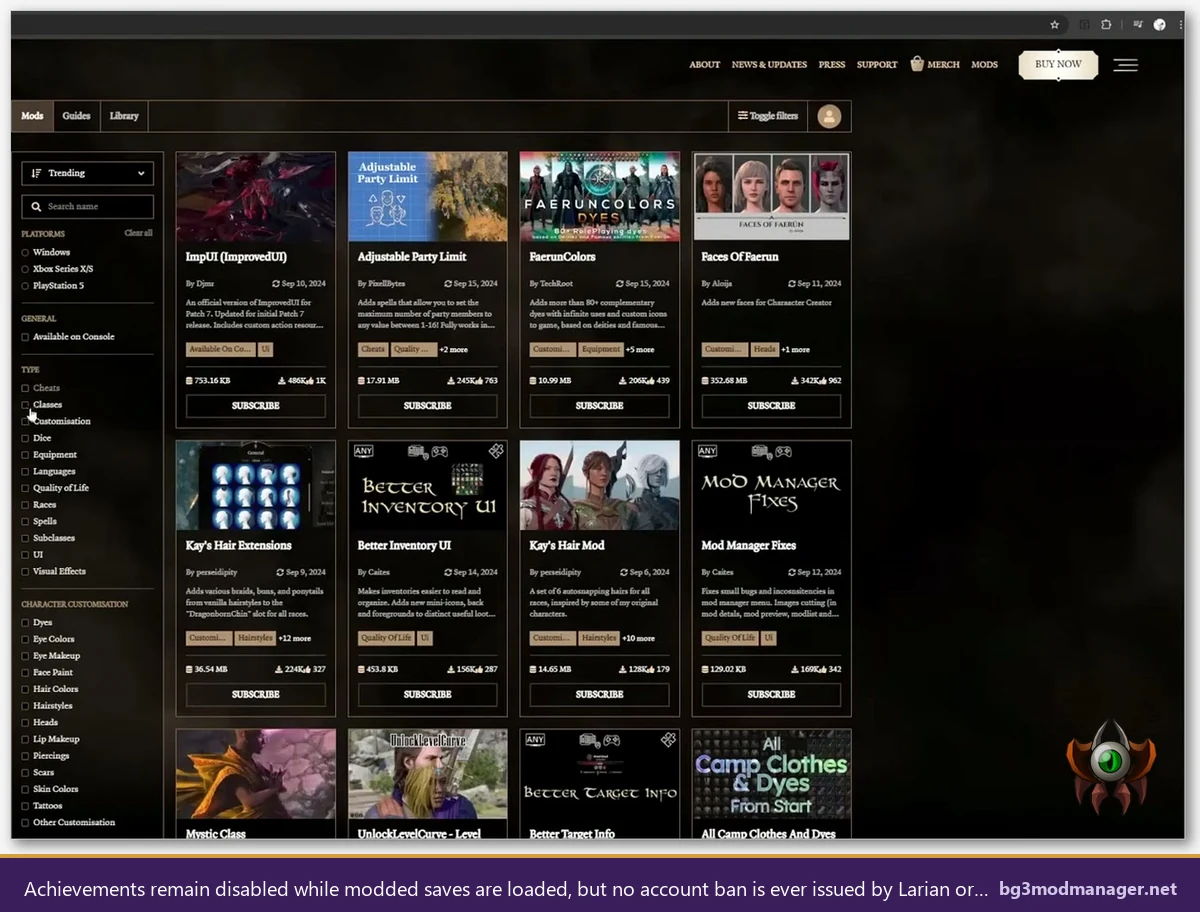
- Tier 1: Cosmetic and quality-of-life mods. Examples include hair and dye packs, UI improvements, camera tweaks, party-limit increases, and re-skinned spells. These mods rarely cause crashes, do not interact with anti-cheat (because none exists in BG3), and produce predictable achievement-disable behavior. The only meaningful “risk” is the achievement flag, which a vanilla profile sidesteps.
- Tier 2: Gameplay-balance and content mods. Examples include rebalanced classes, new subclasses, additional companions, custom origin stories, and overhaul packs. These mods can interact with save state in complex ways: removing a companion mod from an active save may leave references the game cannot resolve, leading to “save state damaged” errors. The risk here is to save integrity, not to the account.
- Tier 3: Cheat tables and trainer-style modifications. Examples include external memory editors (Cheat Engine), gold/XP injectors, and god-mode toggles. These tools modify the running BG3 process. In Baldur’s Gate 3 specifically, no anti-cheat exists, so a cheat table will not produce a ban. Where cheat tables become risky is when the same Cheat Engine instance is later left running while launching a different game with anti-cheat (Apex Legends, Valorant, EA games using EA AntiCheat, Battlefield with Fairfight). Those anti-cheats can flag the Cheat Engine process and ban the unrelated game’s account, even though the cheat tool was used only on BG3.
The Tier 3 cross-contamination risk is the closest the BG3 modding scene comes to a real ban scenario, and it does not originate in BG3. The mitigation is operationally simple: close any cheat or memory-editor process before launching any game that uses anti-cheat. BG3 Mod Manager itself does not load Cheat Engine, does not inject into the running process beyond the optional Script Extender, and does not maintain any background presence after the game launches. Quality-of-life mods loaded through BG3MM occupy the lowest possible risk tier.
Save File Modding and the “Save State Damaged” Flag
Save-file modding is a separate discipline from mod-list management. Tools such as save editors, character editors, and inventory injectors operate on the .lsv save archive directly, rewriting character stats, item counts, gold values, or quest flags. These tools sit at the highest risk tier for save corruption, because any malformed write breaks the save’s internal checksums. The game responds with a “save state damaged” error and refuses to load the file.
BG3 Mod Manager does not perform save-file editing. The application reads .pak metadata from the Mods folder and writes only modsettings.lsx in the player profile. Save archives (.lsv files) under the player’s PlayerProfiles directory are never opened, parsed, or written by the manager. This separation matters for the ban question because save corruption from a third-party save editor can produce telemetry that Larian’s crash reporter logs as “modified save state,” which is a different signal from “modded mod list.” Even in the corruption case, no account ban results: the save fails to load and the player rolls back to a prior save. GitHub issue #404 documents a related “save state mismatch” diagnostic flow that several users have walked through successfully.
The standard mitigation for save-file experimentation is the same as for mod-list experimentation: keep clean save backups. Baldur’s Gate 3 stores saves under %LOCALAPPDATA%\Larian Studios\Baldur's Gate 3\PlayerProfiles\Public\Savegames\Story\ as folders with timestamps. Copying the entire Story directory to a backup location before any save-editor operation produces a complete restore point. If a save edit corrupts the file, the backup folder restores the player to the pre-edit state with no loss of campaign progress.
How to Reduce Risk When Modding
The combined risks discussed above (achievement flag, save corruption, multiplayer mismatch, cross-contamination with other games’ anti-cheat) can be reduced to near-zero by following a small set of operational practices. The list below applies to any BG3 mod workflow, regardless of whether the player uses Larian’s in-game manager, BG3 Mod Manager, or a hybrid of both. None of these practices require advanced tooling.
- Keep clean save backups before any major mod change. Copy the entire
Savegames\Storyfolder to an external backup before adding, removing, or updating mods. This protects against save corruption from mod incompatibilities and from save-editor accidents. - Use profile separation for achievements. Create one PlayerProfile that is permanently vanilla and another for modded play. Switch between them from the BG3 main menu. The vanilla profile preserves full achievement progression; the modded profile runs whatever load order BG3 Mod Manager exports.
- Close all memory editors before launching games with anti-cheat. Cheat Engine, ArtMoney, and similar tools should not be running when launching Apex Legends, Valorant, EA AntiCheat games, or any other anti-cheat-protected title. The cross-contamination risk is the only realistic ban surface adjacent to BG3 modding.
- Download mods only from verified sources. Use mod.io through the in-game manager or Nexus Mods through BG3 Mod Manager. Avoid third-party file hosts that may repackage .pak archives with unwanted payloads. The repackaging risk is the genuine source of malware reports in the BG3 modding scene.
- Verify mod compatibility before adding to active save. Test new mods on a throwaway character or a recent save backup before introducing them to a long-running campaign. This catches “save state damaged” errors at a recoverable point rather than after fifty hours of progression.
- Use a throwaway Steam account for high-risk experimentation. If a player wants to test cheat tables or save editors without any concern about cross-game flags, a separate Steam account isolated from competitive games provides full insulation. The main account never touches the experimental tooling.
Source Verification Matters More Than Ban Risk
BG3 Mod Manager is downloadable from the project’s official GitHub release page. Verify the download against the SHA-256 hash listed there before extracting. Repackaged copies on third-party portals are the only realistic malware vector in the BG3 modding ecosystem.
The download page on this site mirrors the GitHub release directly, and the homepage lists supported BG3 versions for each manager release. Both pages link to the upstream source so users can independently verify the binary chain of custody.