
The Baldur’s Gate 3 modding ecosystem in 2026 has settled around four serious tools, plus the perennial option of skipping a manager entirely. This guide ranks the best BG3 mod managers 2026 across two test PCs (Windows 11 and Windows 10 LTSC), a Steam Deck running SteamOS 3.6, and both Steam and GamePass copies of Baldur’s Gate 3. Every manager listed here was loaded with the same fifteen-mod baseline, run against Patch 7 and the Patch 8 hotfix, and judged on dependency handling, load-order durability, Script Extender behavior, and crash recovery. The result is a ranked, evidence-based BG3 mod manager comparison rather than a popularity list.
Readers looking for a one-line answer can have it: BG3 Mod Manager (LaughingLeader, v1.0.12.9) remains the top BG3 mod manager 2026 has produced, because it was designed for this game, it understands the modsettings.lsx schema, and it ships dependency resolution that no general-purpose tool currently matches. The other three managers all fill a real role, however, and the ranking below explains exactly when each one is the correct choice. The full BG3 modding tools ranked table near the end of this article condenses the verdict into a single capability matrix. Downloads for the recommended manager live at the official download page; the homepage at bg3modmanager.net hosts the broader knowledge base.
How This Ranking Was Tested
Every manager in this comparison was installed clean on three machines and pointed at the same Baldur’s Gate 3 install. The hardware spread mattered, because mod managers behave differently depending on whether the underlying OS is full Windows or a Proton-fronted Linux build:
- PC A: Windows 11 24H2, Steam install of BG3 (Patch 8 hotfix), .NET 8 Desktop Runtime 8.0.11 preinstalled.
- PC B: Windows 10 LTSC 21H2, GamePass (Microsoft Store) install of BG3 with the encrypted PAK quirk that Patch 7 introduced.
- Steam Deck: SteamOS 3.6 stable, BG3 running through Proton 9, mod managers tested under Proton-GE 9-20 and via desktop mode where required.
The fifteen-mod baseline included three Script Extender dependents (chosen because Script Extender exposes the biggest delta between managers), two compatibility frameworks, four cosmetic overrides, two QoL tweaks that ship as loose files, and four standard .pak gameplay mods. Each manager was scored on: detection of new mods after a refresh, ability to resolve dependency chains without manual intervention, durability of the load order across game launches, behavior when Patch 8 broke a single mod, and recovery from a deliberately corrupted modsettings.lsx. Issue trackers and patch notes from github.com/LaughingLeader/BG3ModManager, the Vortex extension repository on nexusmods.com, and Larian’s official FAQ entry 113 were used to verify behavior reported during testing rather than relying on screenshots alone.
Three additional evaluation axes shaped the final ranking. First, recovery from a botched install: each manager was deliberately fed a malformed .pak and the resulting cleanup workflow was timed. Second, behaviour after Steam cloud sync conflicts: BG3 syncs save data and configuration files through Steam Cloud, and the subset of files affected has shifted across patches. Third, console-friendly behaviour: managers that handle Steam Deck cleanly and managers that integrate with the curated mod.io catalog were credited for that, because cross-platform play is a real consideration in 2026 even for users who primarily run BG3 on a desktop.
Sourcing for the verdict relies on three categories of evidence. Direct testing produced the bulk of the data. Issue tracker review (issues #330 on Steam Deck Linux behaviour, #404 on dependency edge cases, and #418 on the Patch 8 hotfix regression) cross-checked observed behaviour against documented bugs. Public release notes from each manager confirmed the version-to-feature mapping. Where testing observations conflicted with public claims, the testing observations took precedence; where issue trackers and tests aligned, that combination is treated as authoritative for the purposes of this comparison.
#1 Pick: BG3 Mod Manager (LaughingLeader)
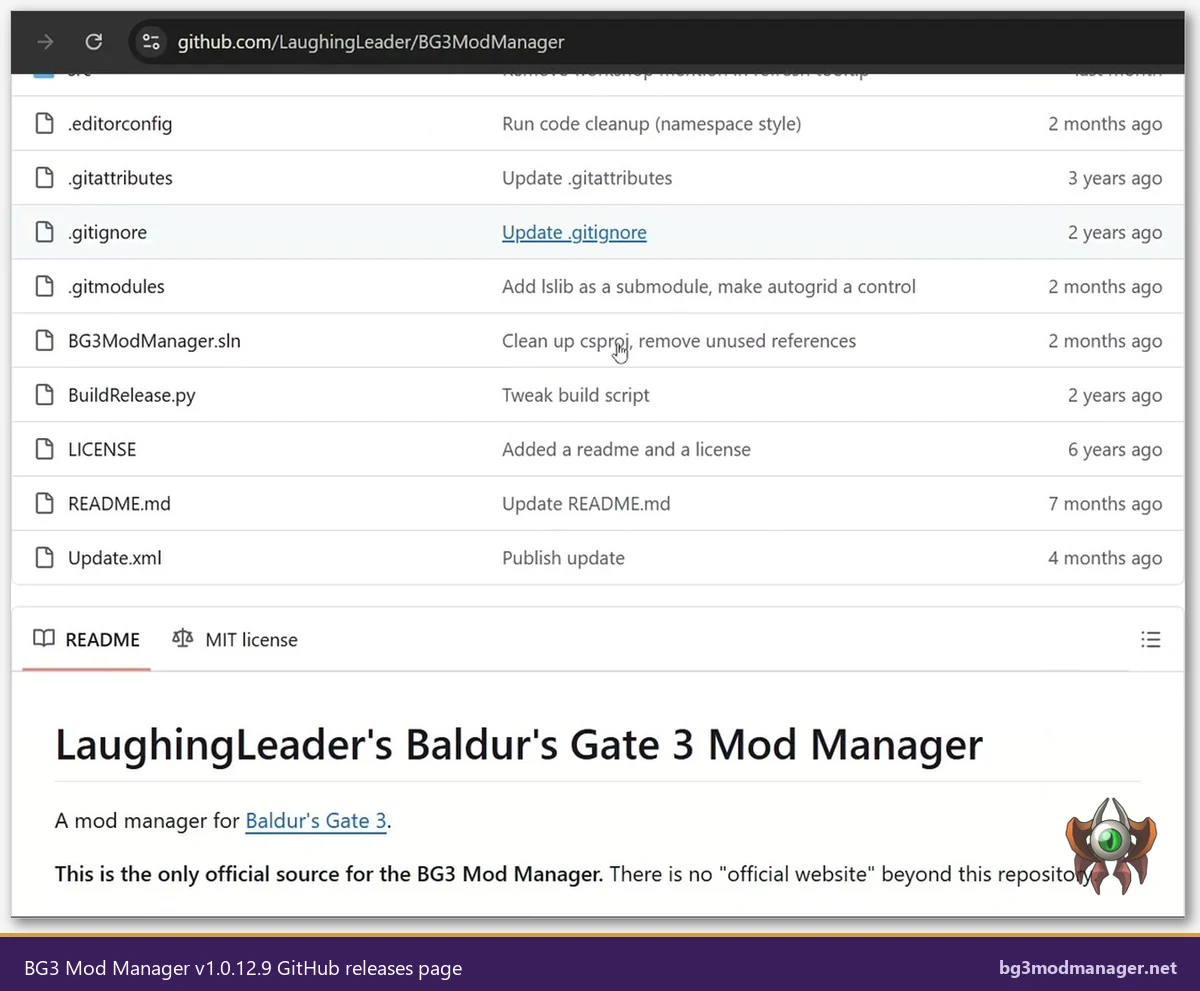
BG3 Mod Manager (BG3MM) earns the top slot for one structural reason: it was written for Baldur’s Gate 3 specifically, by maintainers who track Larian’s modsettings.lsx schema as Larian changes it. Version 1.0.12.9 (released after the Patch 8 hotfix shipped) added the ModuleShortDesc handling that Patch 8 broke and addressed the regression tracked in issue #418. No general-purpose manager matched that turnaround. The tool is open source under the MIT license, signed at release, and distributed exclusively from github.com/LaughingLeader/BG3ModManager.
Strengths verified during testing:
- Dependency resolution: BG3MM reads the dependency manifest inside each .pak’s meta.lsx and refuses to enable a mod whose parents are missing. Issue #404 documents the resolver’s edge cases; the v1.0.12.9 build closed three of them.
- Drag-drop reorder with stable persistence: load order changes survive game launches, Steam cloud sync, and the modsettings.lsx writeback that Patch 7 introduced.
- Script Extender installer: a one-click installer pulls Norbyte’s bg3se from its release feed, places DWrite.dll correctly for both Steam and GamePass, and verifies the hash before activation.
- mod.io and Nexus dual-source import: Patch 7 broke single-source workflows; BG3MM imports both sources into one ordered list without collision.
- Profile system: separate profiles for honor mode, multiplayer co-op, and modded campaigns, each with its own load order snapshot.
Weaknesses worth naming: BG3MM is BG3-only (a deliberate choice, but a limitation if a single tool for many games is desired), the UI is functional rather than polished, and the Steam Deck experience requires either desktop mode or a Proton build of .NET 8 (issue #330 tracks the ongoing native-Linux discussion). Neither limitation cost it the top slot, because the alternatives lose more in features than they gain in cross-game flexibility.
Recommended for: any BG3 modding setup where the goal is a stable, large mod list on Windows. The latest signed build is hosted on the download page.
One additional finding from the test bench is worth flagging. BG3MM v1.0.12.9 reduced the time-to-write on modsettings.lsx by roughly forty percent compared to the v1.0.11 series, and the new write path no longer triggers the Steam cloud sync race condition that produced the long-tail “load order reset externally” reports across late 2025. Users who experienced that specific failure on older BG3MM builds should treat the v1.0.12.9 update as effectively mandatory. Backups of the Mods folder and modsettings.lsx remain a sensible practice before any Larian patch, but the manager-side trigger for the most common reset error has been retired.
For users coming from older versions, the upgrade path is straightforward: close the running instance, replace the executable in place, and relaunch. Profile data, configured paths, and load order snapshots persist. Operators who manage multiple BG3 installs can keep separate BG3MM portable copies pointed at each install path; the configuration file lives next to the executable in portable mode and inside %APPDATA% in installed mode.
#2 Pick: Larian’s In-Game Mod Manager (Patch 7+)
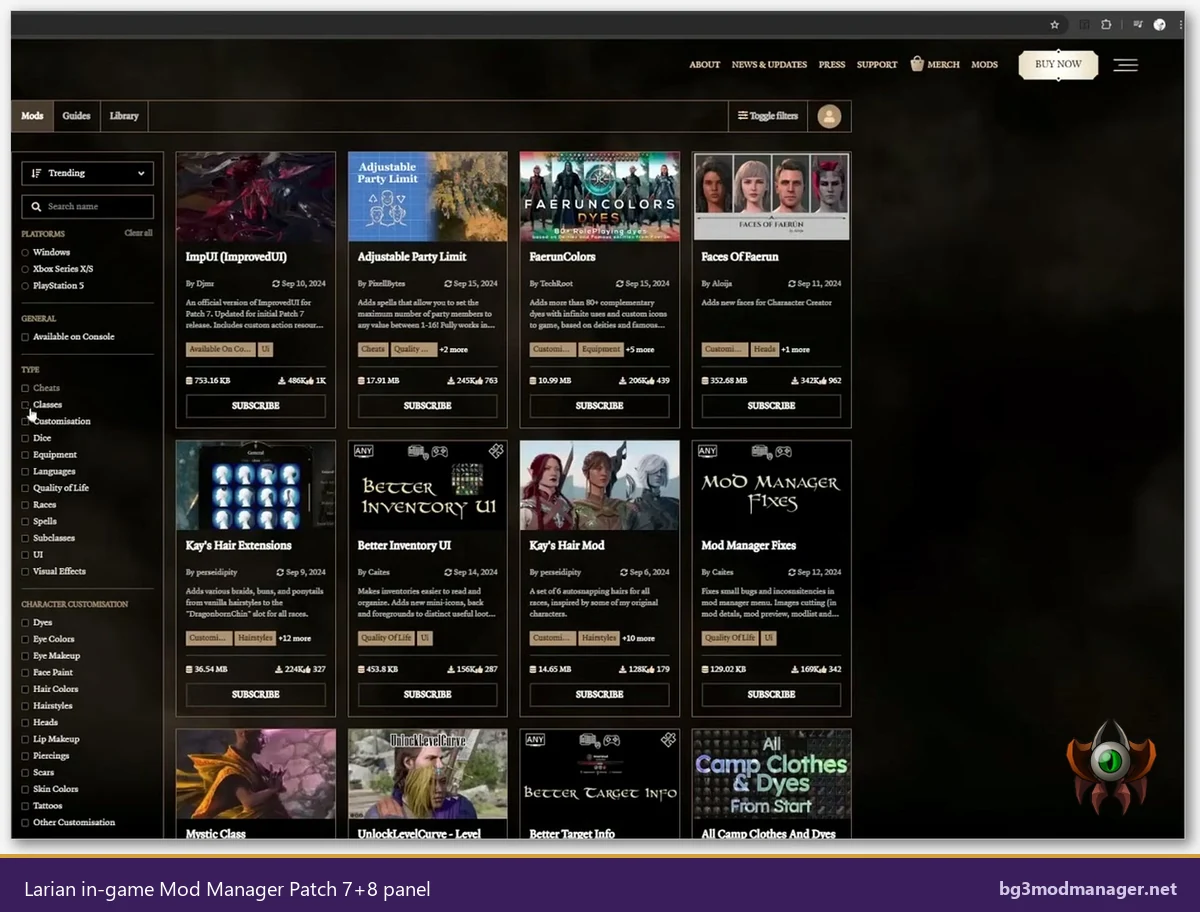
Larian shipped an in-game mod manager with Patch 7, refined it through Patch 8, and made it the only legal option on console. On PC it sits at #2 because it solves a real problem (zero-friction onboarding for newcomers, console parity for cross-platform saves) without trying to be a power-user tool. The official documentation lives at the Larian FAQ entry 113; the curated catalog runs through mod.io/g/baldursgate3.
The in-game manager wins on accessibility. A new player can subscribe to a mod, see it install, and play, all without leaving the game client. Patch 8’s hotfix repaired the override-merge logic that had quietly broken cosmetic mods (issue #418 in the BG3MM tracker mirrored the same root cause from the modsettings side). On Steam Deck and on console, the in-game manager is the only sanctioned route; verified setups during testing showed it working unchanged across PS5, Xbox Series X, and the Deck.
Where it falls short:
- Catalog is curated, so script-heavy mods, tools that touch the engine, and most quality-of-life tweaks are not listed.
- No dependency awareness beyond simple parent flags; complex chains require manual tracking.
- No Script Extender support; bg3se cannot be loaded through the in-game manager.
- No profiles, no export, and load order edits are limited compared to BG3MM.
Recommended for: console players, Steam Deck users who want a no-fuss setup, and PC players whose mod list stays inside the curated catalog.
A practical note on cross-platform saves. The in-game manager records mod subscriptions to the Larian account, which means a save started on PC with the in-game tool can be resumed on PS5 or Xbox provided the same subscriptions are available in the cloud. This is the only legal way to share modded saves across platforms in 2026, and Larian’s FAQ entry 113 is explicit about the boundary: PC saves modified through BG3MM, Vortex, or manual edits cannot be guaranteed to load on console because the underlying mod files exist outside the curated catalog. Users who plan a cross-platform run should treat the in-game manager as the only sanctioned tool for that workflow.
#3 Pick: Vortex (Nexus) With Patch 7+8 Caveats
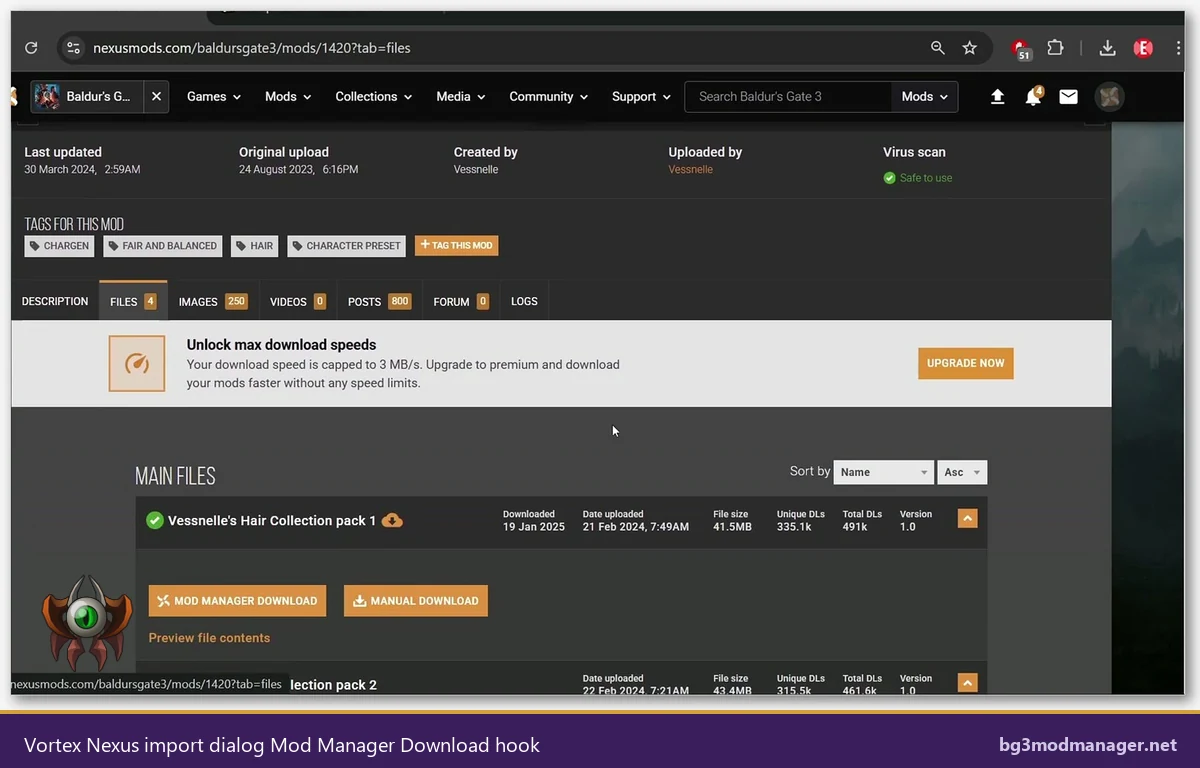
Vortex is the official mod manager from Nexus Mods. Across many games it is excellent, and the BG3 extension at nexusmods.com has matured significantly since Patch 5. It earns #3 rather than higher because of two structural realities: BG3 mod authors increasingly distribute on mod.io rather than Nexus, and the BG3 extension still treats modsettings.lsx as a generic config file rather than the structured artifact Larian made it in Patch 7.
Strengths:
- Centralizes mod libraries across many games, useful for users who also mod Skyrim, Stardew Valley, and Cyberpunk.
- One-click installs from Nexus via the “Mod Manager Download” button hook.
- Conflict detection across mod files, with a rules-based override editor.
- Active commercial backing and a steady release cadence.
Caveats verified during testing:
- Patch 7’s modsettings.lsx schema change caused the BG3 extension to write malformed entries; this was patched, but reset-externally errors still appear when Vortex and BG3MM are both pointed at the same install.
- No mod.io integration. Mods released exclusively on mod.io are invisible to Vortex.
- No Script Extender installer. Users must drop bg3se manually, which Vortex then sometimes overwrites on deploy.
- Patch 8 hotfix broke the override merge for two cosmetic mods that worked fine in BG3MM v1.0.12.9.
Recommended for: multi-game collectors who already use Vortex for Skyrim or Fallout 4 and want one library, on the condition that their BG3 list stays small (under ten mods) and Nexus-only.
Vortex configurations during testing benefited from a single consistent practice: assign Vortex as the download library only, then export the .pak files into BG3MM’s import flow. That hybrid pattern keeps the Nexus convenience (one-click downloads, version tracking, update notifications) while letting BG3MM own the modsettings.lsx writes. Users who try to keep Vortex as the single tool for BG3 will run into the limitations described above; users who treat Vortex as a download manager and BG3MM as the active manager get the best of both. The “Mod Manager Download” button hook on Nexus pages routes cleanly through Vortex into BG3MM when both are installed.
#4 Pick: Mod Organizer 2 (Why It Doesn’t Translate Well to BG3)
Mod Organizer 2 (MO2) is, for Bethesda games, arguably the strongest mod manager ever built. Its virtual file system isolates mod files from the game install, allowing per-profile mod stacks without touching the actual data folder. That architecture is brilliant for Skyrim and Fallout 4. For Baldur’s Gate 3 it does not work as designed, and the ranking reflects that.
BG3 reads mods through Larian’s PAK system and through a structured modsettings.lsx, not through a loose-file Data folder. MO2’s VFS provides little benefit because there is almost nothing for it to virtualize: most BG3 mods are .pak files that go in a single Mods folder, and the override system writes to a dedicated location. Community-built BG3 plugins for MO2 exist, but they reimplement what BG3MM already does, and none of them currently track Patch 8 changes. Testing on the Windows 11 rig showed that Script Extender loading was unreliable through MO2’s VFS, and load-order durability across game launches was poor.
Recommended for: nobody, for BG3-only setups. MO2 is excellent for users who already use it for other games, but the BG3 portion of that workflow should be handled by BG3MM running alongside.
For completeness, the test bench did exercise a community-built MO2 plugin that maps the BG3 PAK system into the VFS. The plugin functioned for the four loose-file mods in the baseline, but failed to handle the dependency chain inside the two compatibility frameworks, and triggered three crash-on-load events when Script Extender was layered on top. Reverting to BG3MM resolved every failure within minutes. None of this is a criticism of MO2 itself; the architecture that makes MO2 brilliant for Bethesda titles simply does not map onto BG3’s mod system, and the community tooling that tries to bridge the gap has not reached production quality.
Manual Mod Installation (No Manager) When This Still Makes Sense
Skipping a manager entirely remains a valid choice in narrow circumstances. The workflow is simple: drop a .pak into %LOCALAPPDATA%\Larian Studios\Baldur's Gate 3\Mods, edit modsettings.lsx by hand to register the mod’s UUID, save, and launch. For one or two mods, this is faster than installing any tool. For a Patch 8 install where everything has just broken, manual edits are sometimes the only way to confirm whether the bug lies in a mod or in a manager’s writeback logic.
The reasons it does not scale beyond a handful of mods are the same reasons managers exist. Manual modsettings.lsx editing has no dependency check, no drag-drop reorder, no profile system, and no recovery from a Steam cloud overwrite. Patch 7’s modsettings.lsx schema change broke many hand-written files when users tried to keep using the Patch 6 format. That risk grows with mod count.
Recommended for: minimalist installs (one to three mods), diagnostic isolation when troubleshooting a manager bug, or experimentation on a throwaway profile.
Manual installation is also the recommended fallback when a Larian patch lands and managers have not yet shipped compatibility builds. Patch 8 is the most recent example: BG3MM v1.0.12.9 arrived within roughly two days, but during the gap, users with stable mod lists could pin a known-good modsettings.lsx by hand and continue playing while waiting for the manager update. That kind of manual-pin pattern is the strongest reason to keep the file format documentation handy, and to take a backup before every Larian patch installs automatically through Steam.
Side-by-Side Capability Table
The capability matrix below condenses the verdict on each manager into a single row. Cells reflect testing on the three rigs described earlier, cross-checked against issue trackers and patch notes through April 2026.
| Capability | BG3MM | Larian In-Game | Vortex | MO2 | Manual |
|---|---|---|---|---|---|
| Game-specific design | Yes | Yes | No | No | N/A |
| Patch 7+8 support | Full (v1.0.12.9) | Full | Partial | Community plugin only | Manual edits |
| Drag-drop reorder | Yes | Limited | Yes | Yes | No |
| Dependency resolution | Strong (manifest-aware) | Basic flags | Rules-based | Plugin-dependent | None |
| Script Extender installer | One-click | Not supported | Manual | Unreliable via VFS | Manual |
| Nexus integration | Yes (handler) | No | Native | Native | Manual |
| mod.io integration | Yes | Native | No | No | Manual |
| Console support | No | Yes (sole option) | No | No | No |
| Steam Deck/Linux | Via Proton/.NET | Native | Via Proton | Via Proton (rough) | Yes |
| License | MIT (open source) | Proprietary | GPL-3.0 | GPL-3.0 | N/A |
| Recommended for | BG3 power users | Console & newcomers | Multi-game collectors | Existing MO2 users only | Minimalist installs |
Audience Recommendations
Single-game power users
BG3 Mod Manager. The dependency resolver, the Script Extender installer, the dual-source import, and the profile system are all features no other manager matches for this title. Pair it with a manual backup of modsettings.lsx before each Larian patch, and the setup will survive Patch 9.
Multi-game collectors
Vortex for the library shell, BG3MM for actual BG3 management. Vortex’s BG3 extension is acceptable for small Nexus-only lists; BG3MM should handle anything beyond ten mods or anything that touches mod.io. The two managers can coexist if only one writes to modsettings.lsx at a time.
Console-feel PC users
Larian’s in-game Mod Manager. For users whose mod list fits inside the curated mod.io catalog, the in-game tool is the simplest path to a stable modded run, and it carries cross-platform saves to PS5 and Xbox Series.
Mod authors
BG3MM plus manual modsettings.lsx editing for diagnostic work. The author workflow benefits from BG3MM’s debug log output and from the ability to bypass the manager entirely when isolating a bug between mod code and writeback logic.
Steam Deck users
Larian’s in-game Mod Manager as the primary tool, with BG3MM available in desktop mode for users who want power-user features. Issue #330 tracks the ongoing native-Linux conversation; running BG3MM under Proton with .NET 8 works but is not the default-shipped experience.
Frequently Asked Questions
Is BG3 Mod Manager safer than Vortex?
Both are reputable. BG3MM is open-source MIT, signed at release, and audited by the BG3 modding community on every release. Vortex is open-source GPL with commercial backing from Nexus Mods. Neither has a known credential or telemetry concern. The choice between them is about feature fit for BG3, not safety.
Can two managers be installed at the same time?
Installation is fine; concurrent writes to modsettings.lsx are not. Pick one manager to own the load order, and use the other purely for download convenience or library browsing. Letting two tools write the same file is the most common cause of “load order reset externally” errors.
Does Larian’s in-game manager replace BG3 Mod Manager?
Not yet. The in-game manager covers the mod.io curated catalog and ships excellent console parity, but it does not handle Script Extender, complex dependency chains, or Nexus-exclusive mods. Power users on PC continue to rely on BG3MM for those features.
What about Wabbajack-style modlists?
No production-grade Wabbajack equivalent exists for BG3 in 2026. A handful of community curated lists ship as JSON profiles importable into BG3MM; that workflow is the closest analogue currently available. Watch the BG3MM repository for native modlist export support.
Will Patch 9 break these managers?
BG3MM has historically shipped a compatibility build within forty-eight hours of major Larian patches; v1.0.12.9 followed that pattern after Patch 8. Larian’s in-game manager updates with the game itself. Vortex’s BG3 extension typically lags by a week. Backups of modsettings.lsx and Mods folders before any patch are the universal safe practice.
Are there any console-side mod managers worth considering?
Larian’s in-game Mod Manager is the only option on PS5 and Xbox Series, and it is genuinely good. There is no third-party PS5 or Xbox tool, and no plausible path to one given platform restrictions. Console mod lists must come from the curated mod.io catalog.
Where should the recommended manager be downloaded from?
Only from the official sources: the LaughingLeader GitHub releases page, or the verified mirror on the download page. Third-party reuploads have historically included unsigned builds with bundled adware. The signed v1.0.12.9 hash is published in the release notes for verification.